
How To Connect
How to Connect Your Amazon Seller Account to Engage
Time-Saver Benefit
Automatically sync customer queries in real-time. By connecting your Amazon account, buyer messages and support tickets are forwarded directly to Engage. This allows your support team to respond to inquiries without logging into Seller Central, saving hours of manual checking.
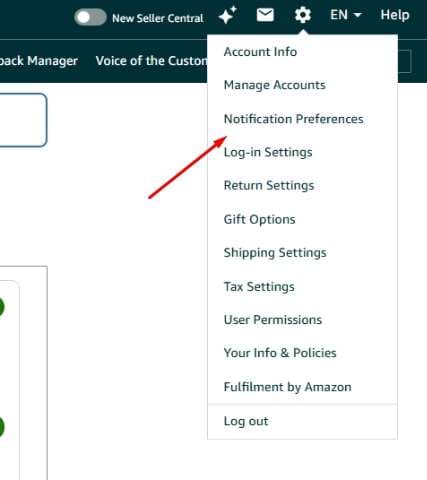
Step 1: Open Notification Preference Settings
Log in to your Amazon Seller Central account.Navigate to the Notification Preference Settings from the settings menu, or go directly using the link below:https://sellercentral.amazon.co.uk/notifications/preferences
Step 2: Add Your Engage Email Address
Scroll down to find the Messaging section on the page.Click the Edit button next to the messaging preferences, then click Add and enter the dedicated forwarding email address provided by Engage.Click Save to confirm your changes.
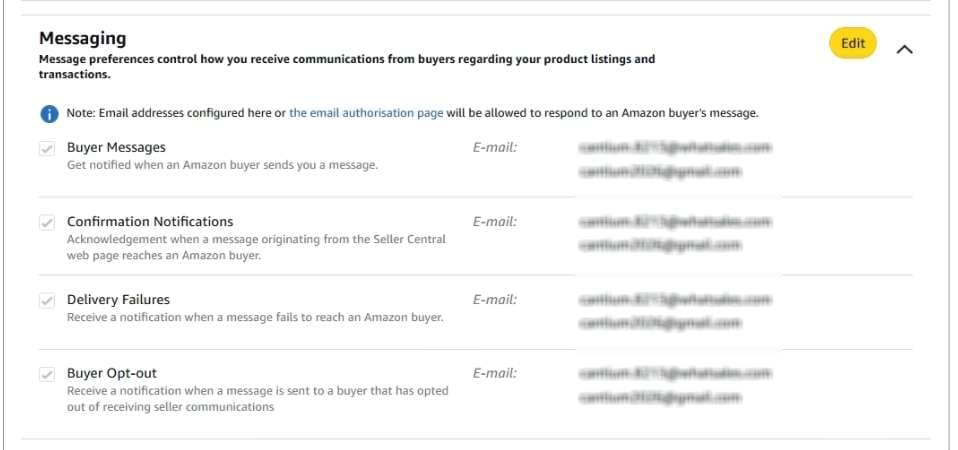
Note: Email addresses in these screenshots are blurred for privacy.
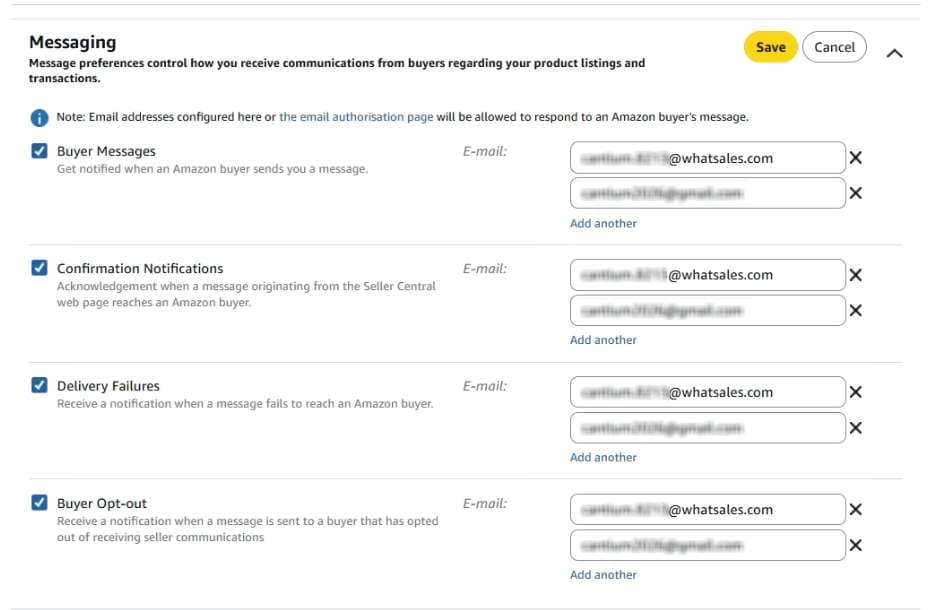
You're all set! Amazon will now forward all buyer messages and tickets to Engage automatically. They will start appearing in your Engage tickets inbox shortly.