
How To Connect
How to Connect Your eBay Seller Account to Engage
Time-Saver Benefit
Link eBay messages and order details instantly. Connecting eBay allows you to reply to customer messages, view order timelines, and handle cases directly from your Engage inbox, eliminating the need to toggle between platforms.
Step 1: Open the Connect Platform Page
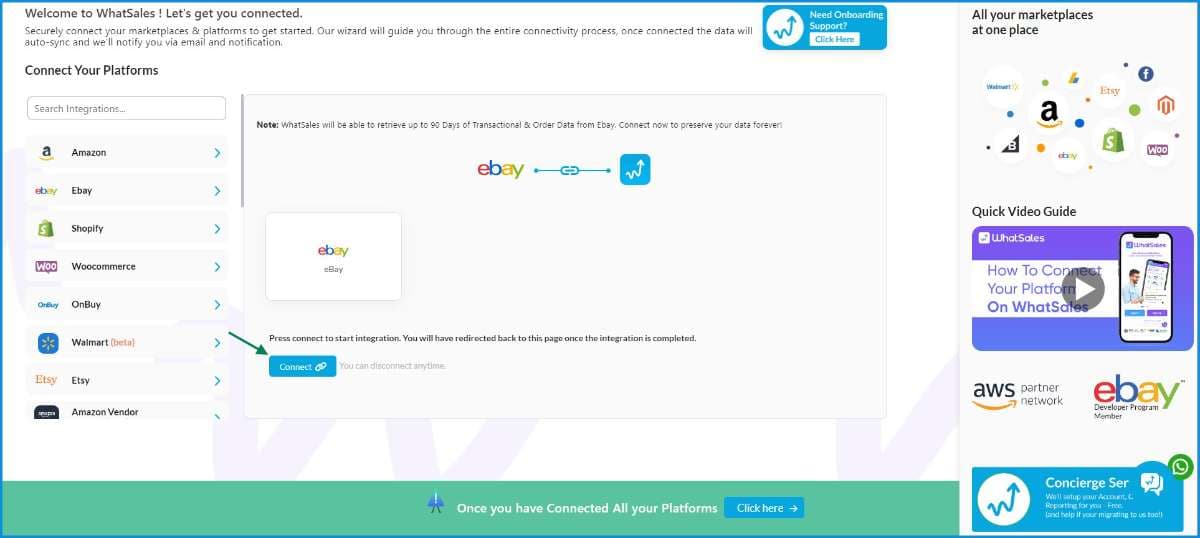
Log in to your Engage account and navigate to the platform connection page:https://app.whatsales.io/ConnectPlatformClick on eBay from the list of channels, and click the Connect button to begin authorization.
Step 2: Sign In to Your eBay Account
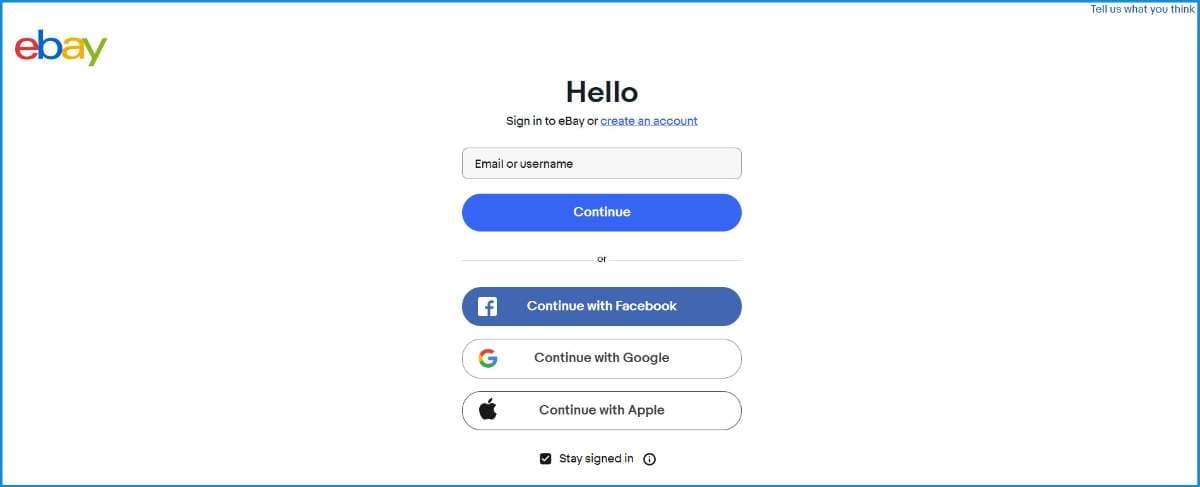
You will be redirected to eBay's official sign-in page.Enter your eBay username or email, click Continue, and provide your password to log in with your seller account.
Step 3: Grant Access to Engage
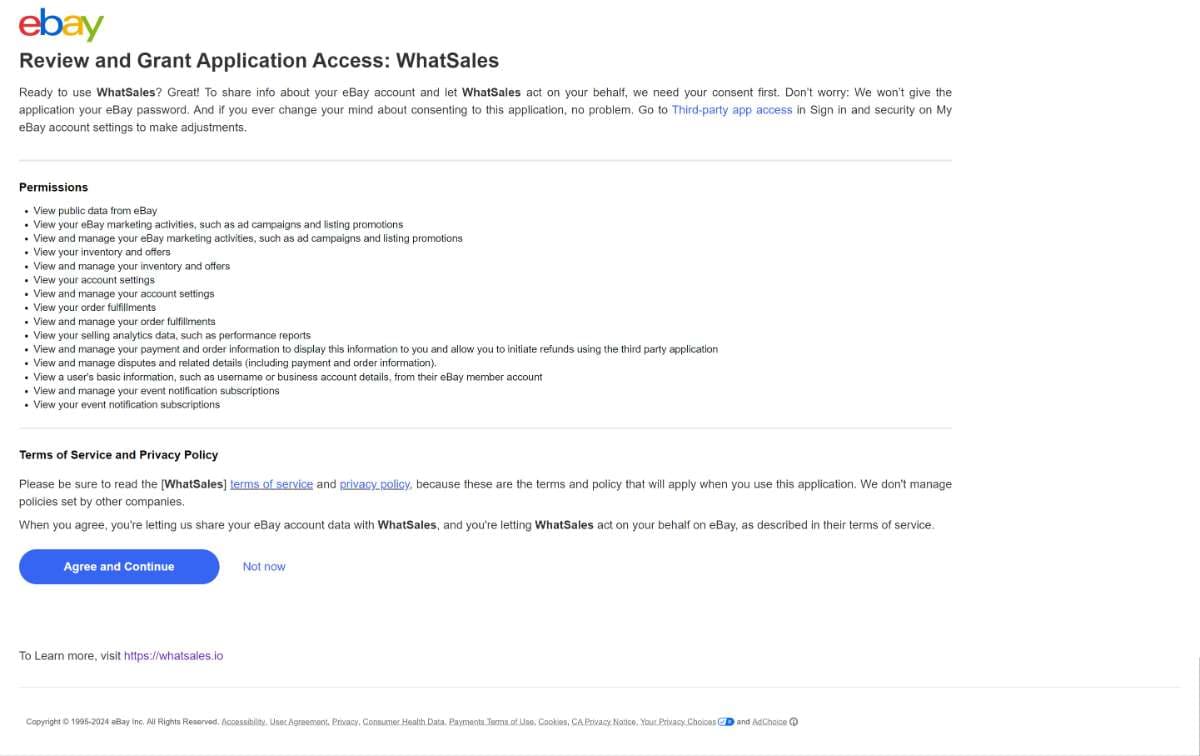
eBay will display a permissions screen requesting access for Engage (necessary to sync messages and orders).Review the list of permissions and click Agree and Continue to authorize.
Step 4: Connection Confirmed
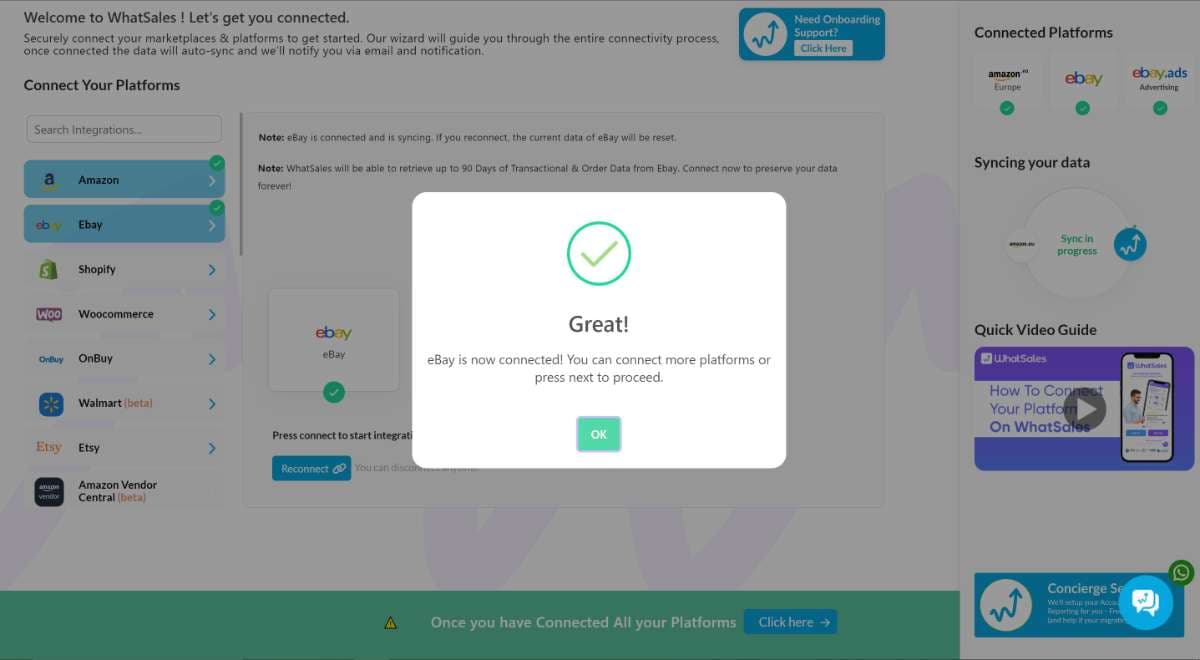
Once authorized, you will be redirected back to Engage automatically.A "Great!" confirmation dialog will appear. Click OK to finalise. eBay will now display a green checkmark in your platform list.
You're all set! Your eBay customer messages will now be fetched automatically and appear inside your Engage tickets inbox.