
Connect Your Platforms
Amazon
Connect Amazon with WhatSales
To connect your Amazon account, follow these steps:
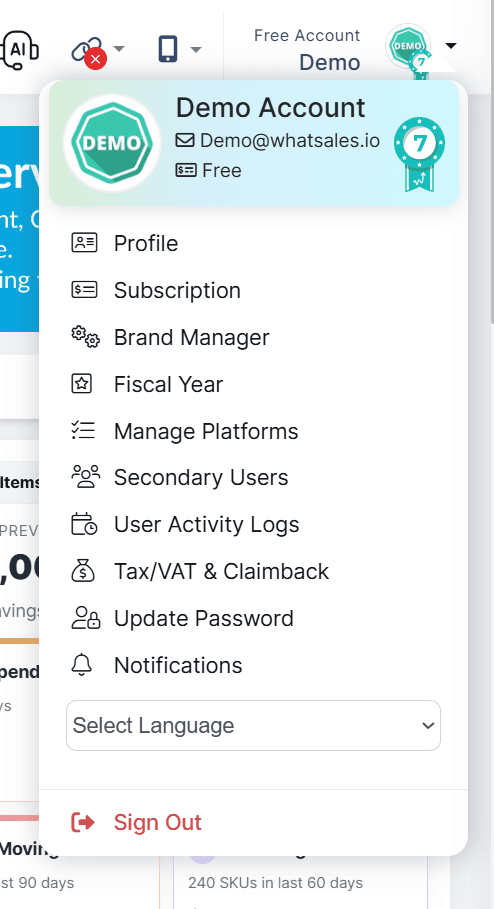
1. Go to Manage Platforms
- Log in to your WhatSales account
- Click on the Store icon at the top right
- Select Manage Platforms
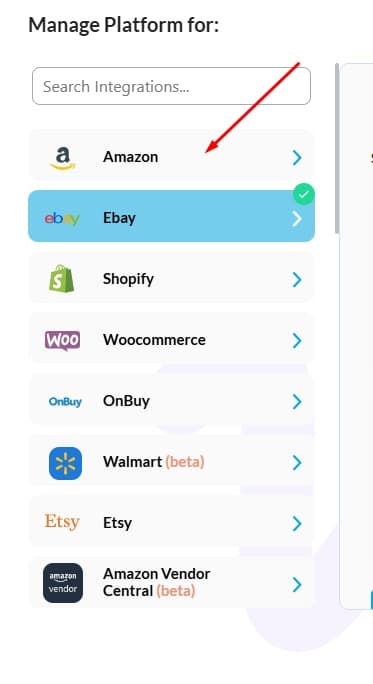
2. Select Amazon
- From the side panel, click on Amazon
3. Choose Marketplace Region
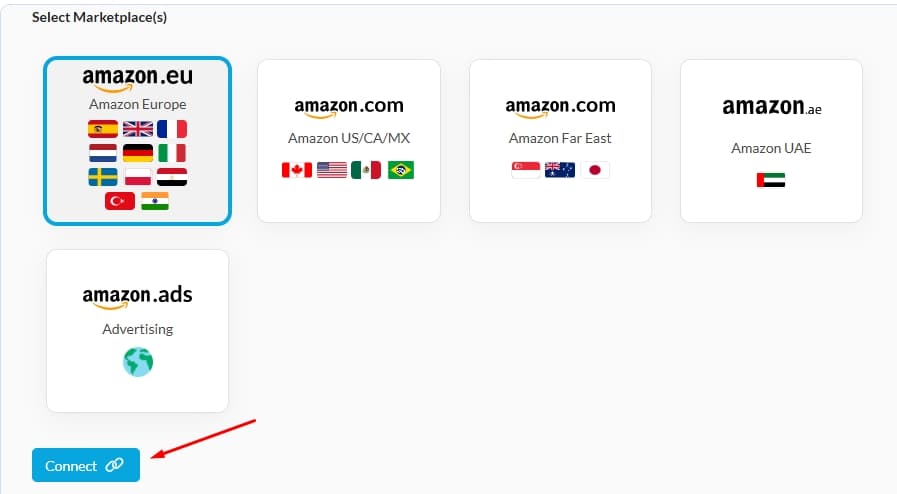
You will see multiple Amazon marketplace options. Select the region you want to connect:
- Amazon Europe (amazon.eu)
- Amazon US/CA/MX (amazon.com)
- Amazon Far East / Amazon FE (amazon.com)
- Amazon UAE (amazon.ae)
4. Connect Your Account
- Click on the Connect button for the selected region
- Log in using your Amazon Seller Central credentials

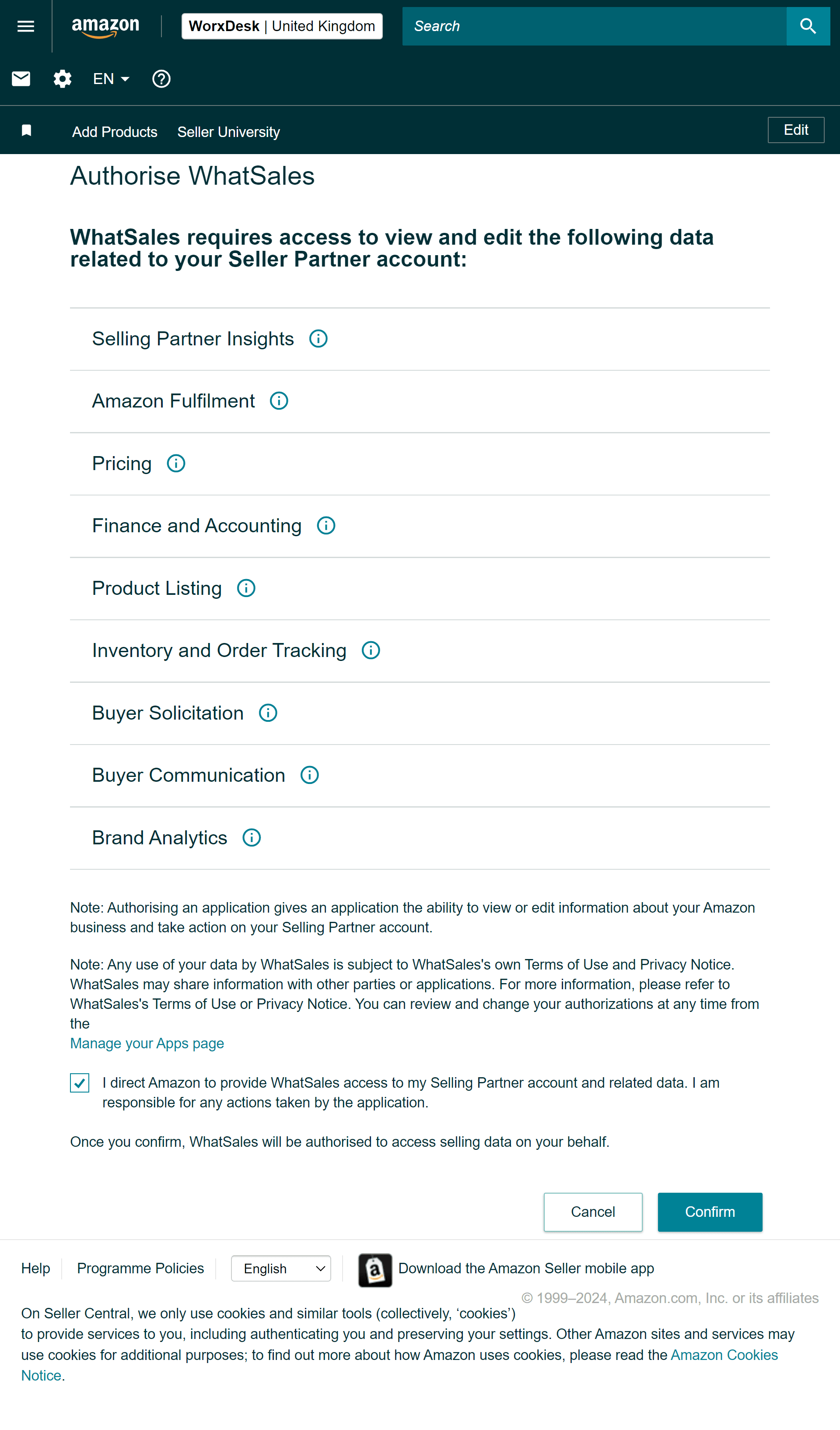
5. Confirm Access
- Review the permissions
- Check the required options
- Click Confirm
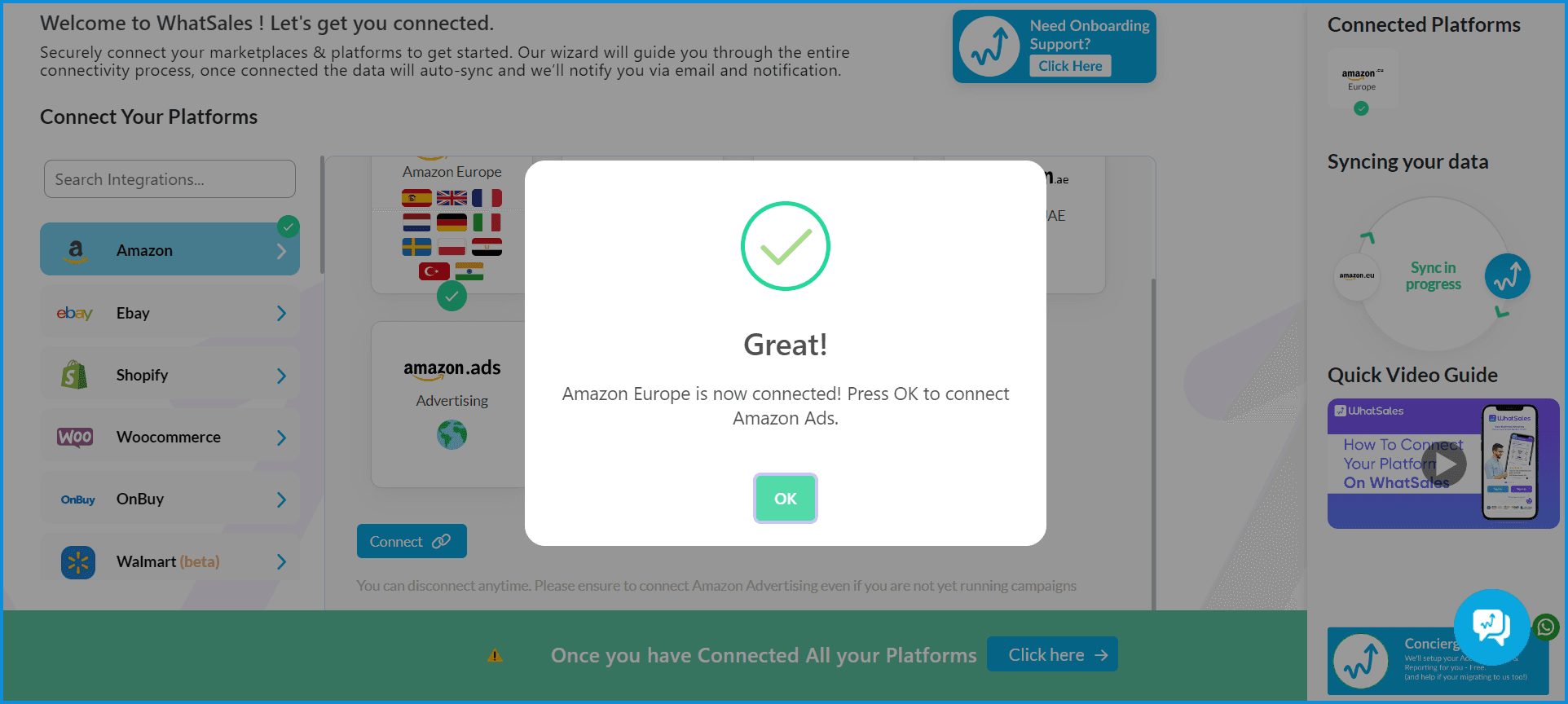
6. Complete Setup
- Wait for the success message confirming the connection
Note
- Each marketplace must be connected one at a time
- Repeat the same steps to connect additional regions
- Data syncing may take some time after connection