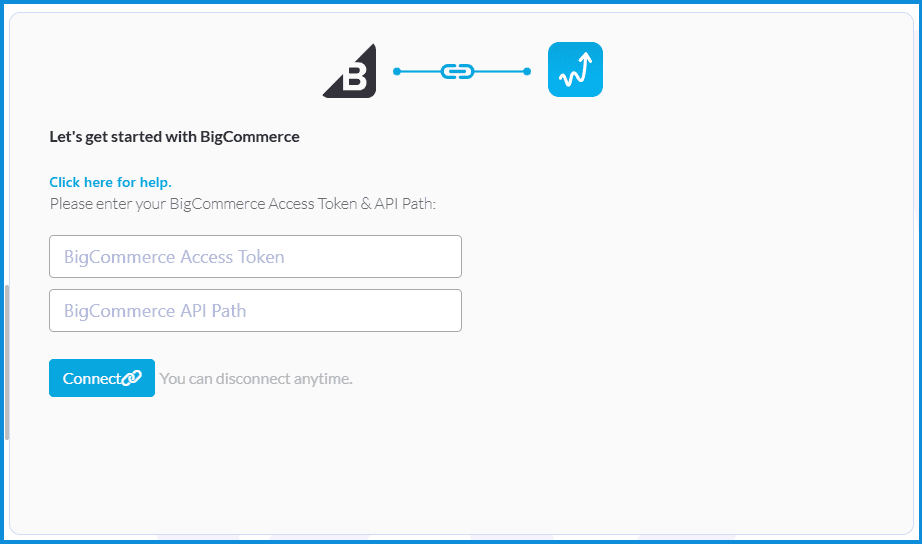
Connect Your Platforms
BigCommerce
Connecting BigCommerce Store with Whatsales
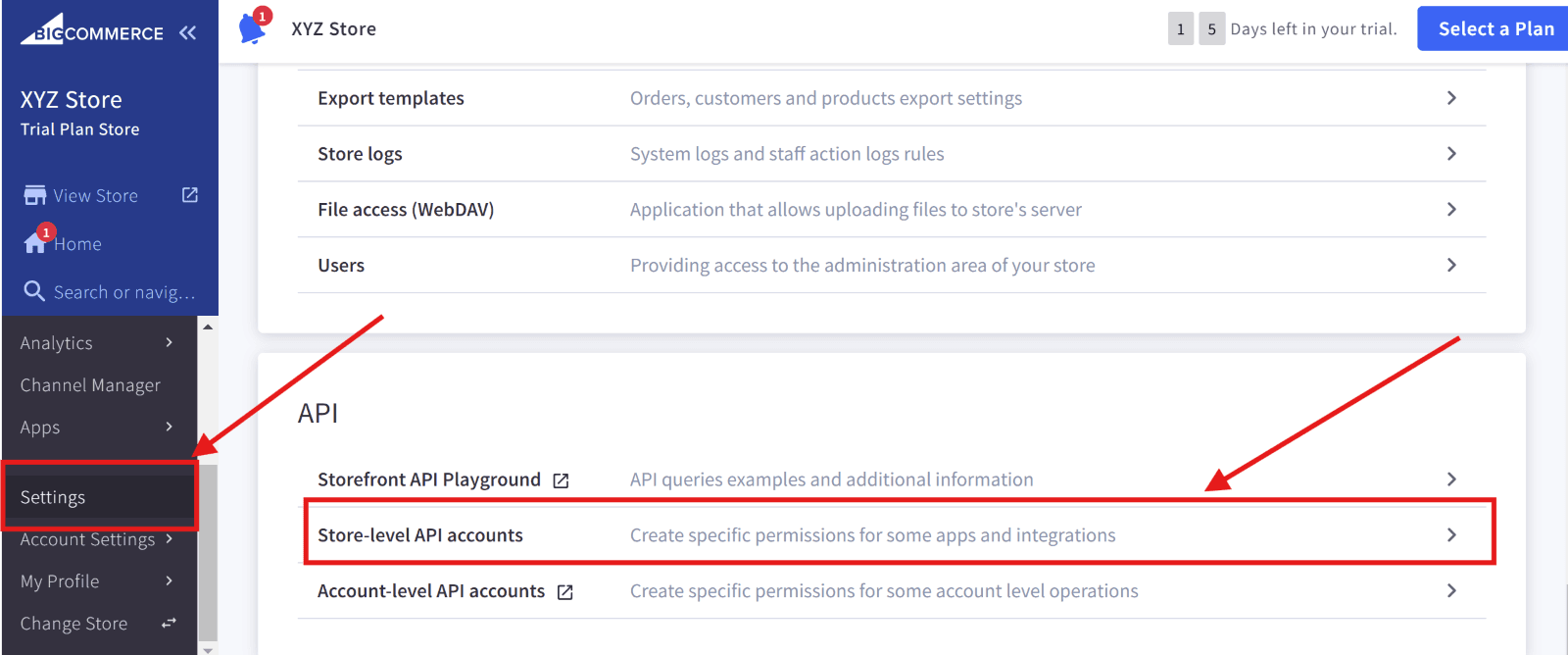
- Log in to BigCommerce:
- Go to the Settings tab.
- Select Store-Level API Accounts.
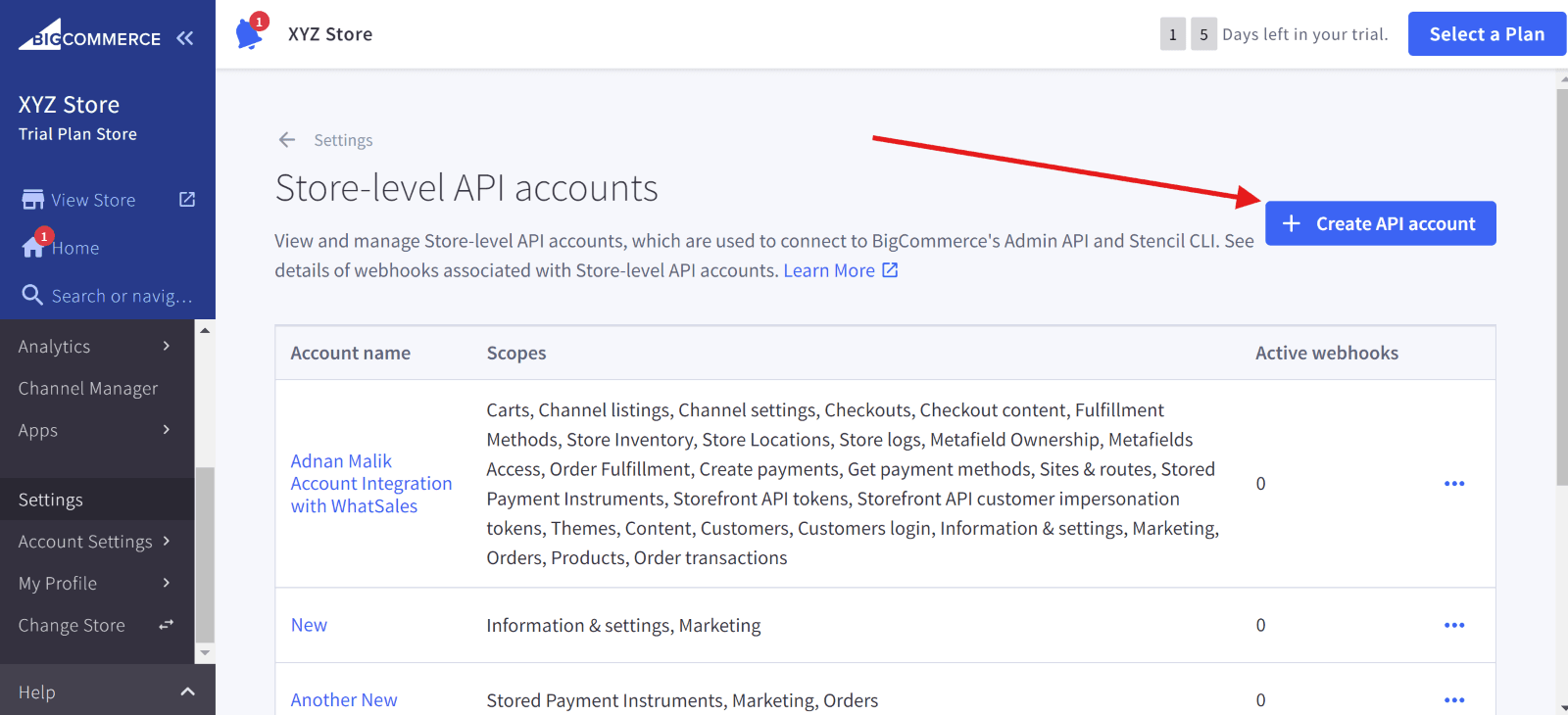
- Create a New API Account:
- Click + Create API Account.
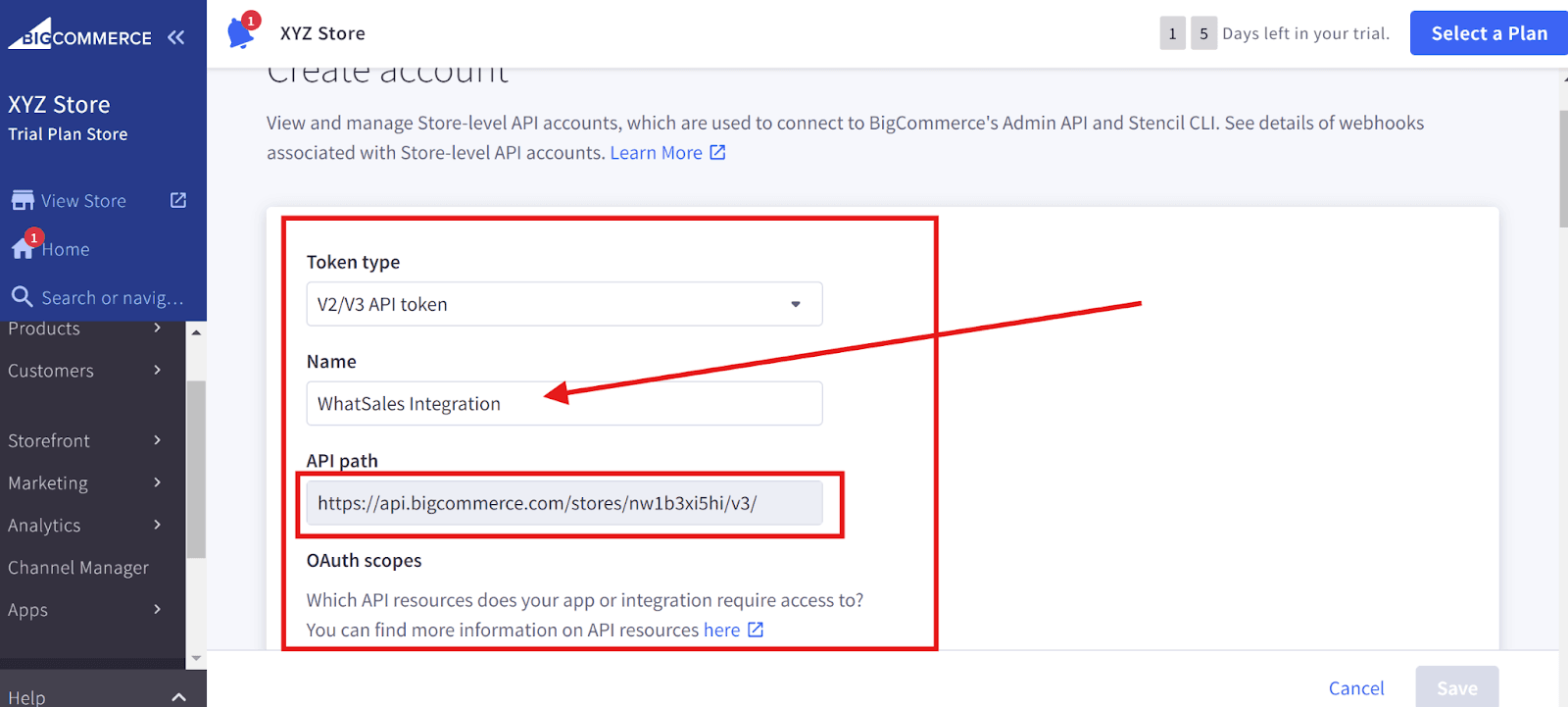
- Choose V2/V3 API token for Whatsales.
- Name the API account (e.g., Whatsales Integration).
- Copy the API Path and save it somewhere (You will need this to past in WhatSales Onboarding).
Set Permissions:
Select these permissions and then click Done:
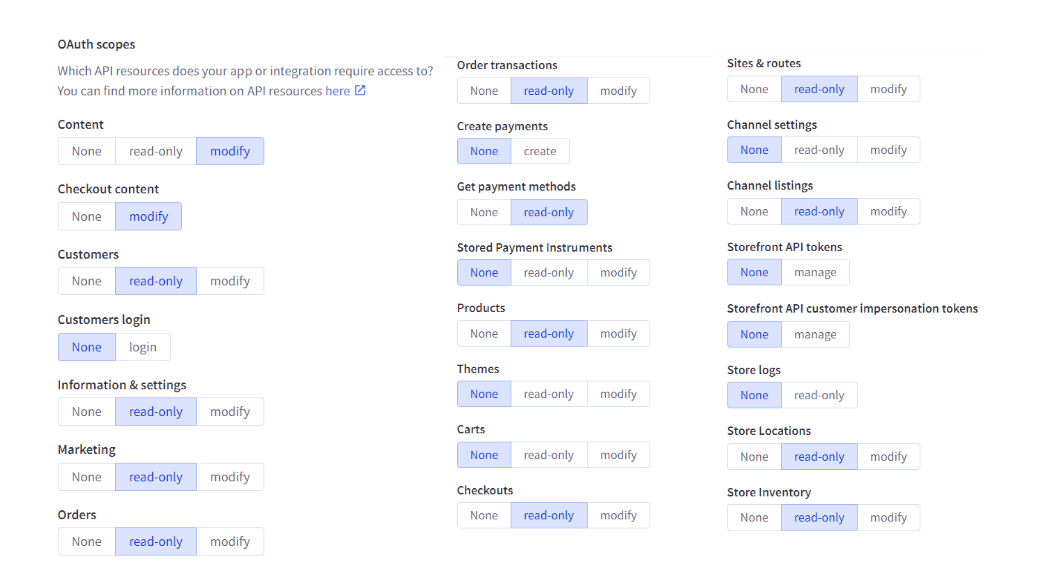
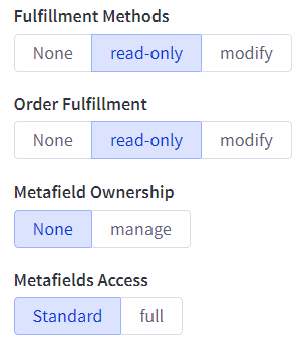
Now click on Save.
- Save and Retrieve Credentials:
- After saving, a popup will show your Client ID, Client Secret, and Access Token.
- Copy the Access Token and save it somewhere (You will need this to paste in WhatSales Onboarding)
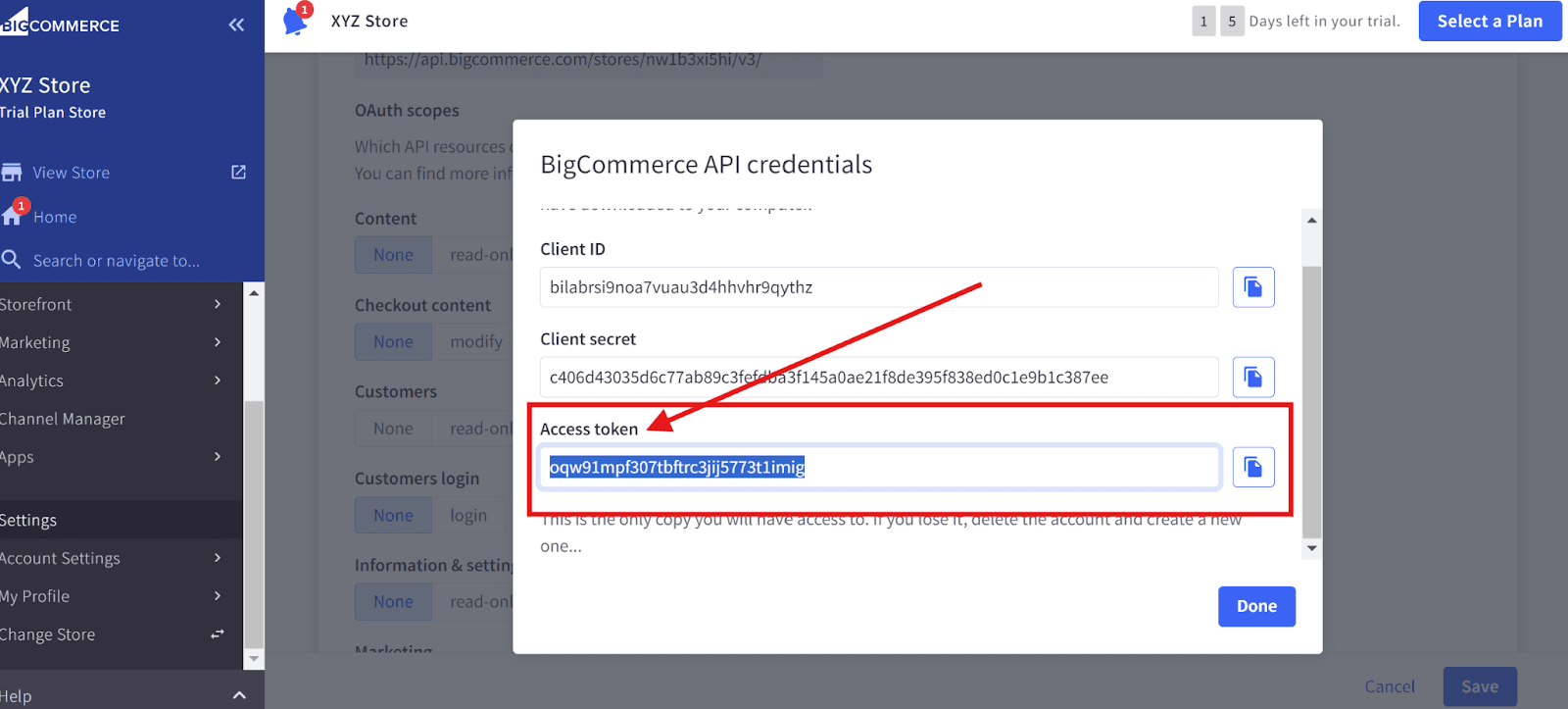
Now copy this information and paste it into the WhatSales Onboarding.On Whatsales, select BigCommerce from the side menu and then add the credentials to get started.