Connect Your Platforms
Magento
To connect Magento, follow the following steps:
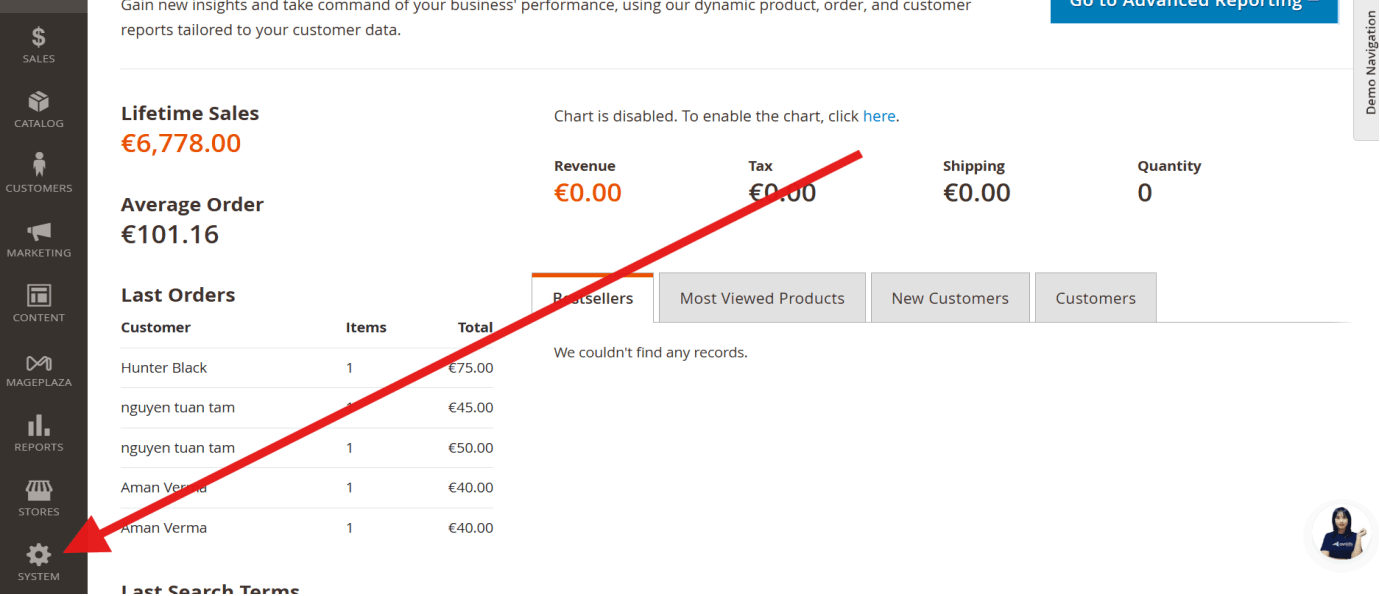
1. Login into your store and click on Settings.
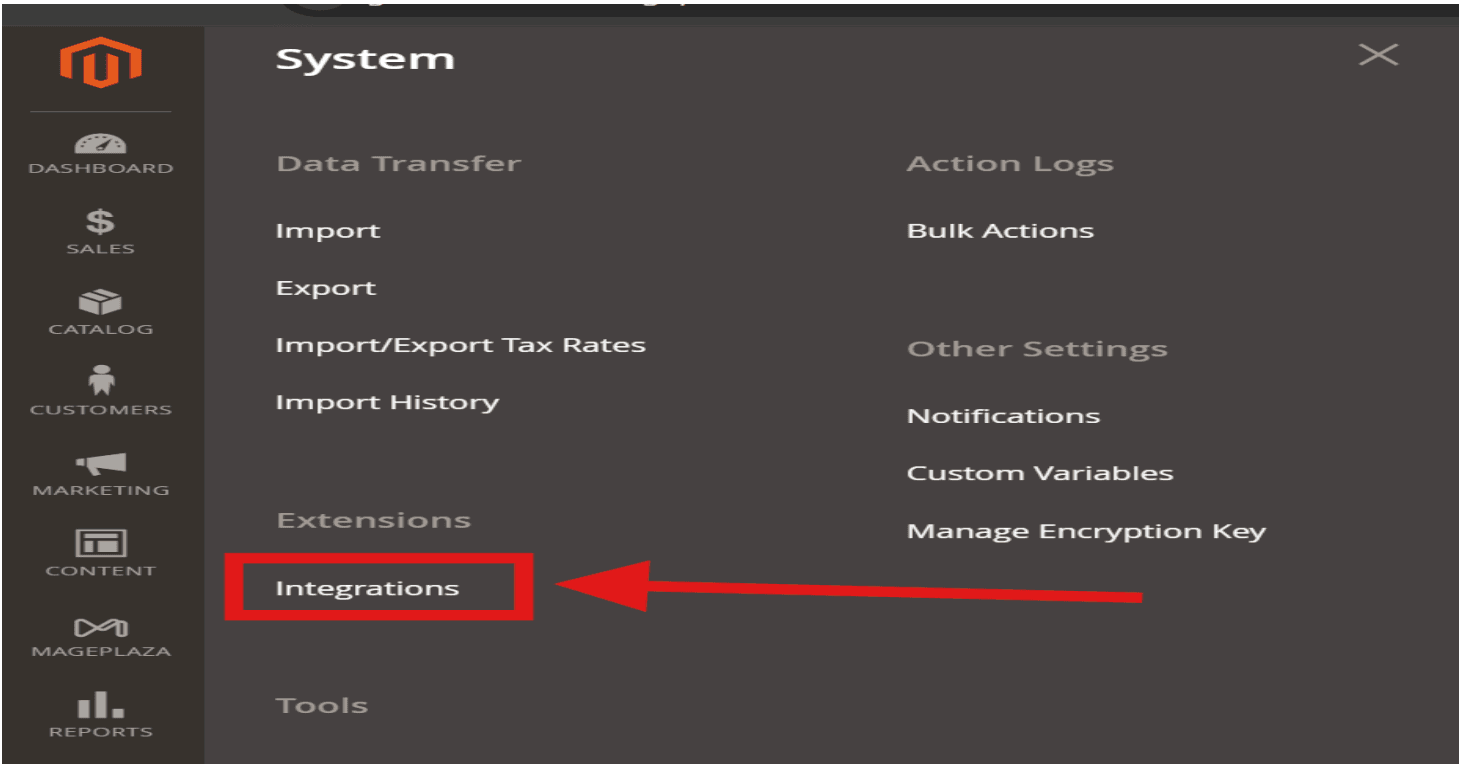
2. Click on Extension > Integrations.
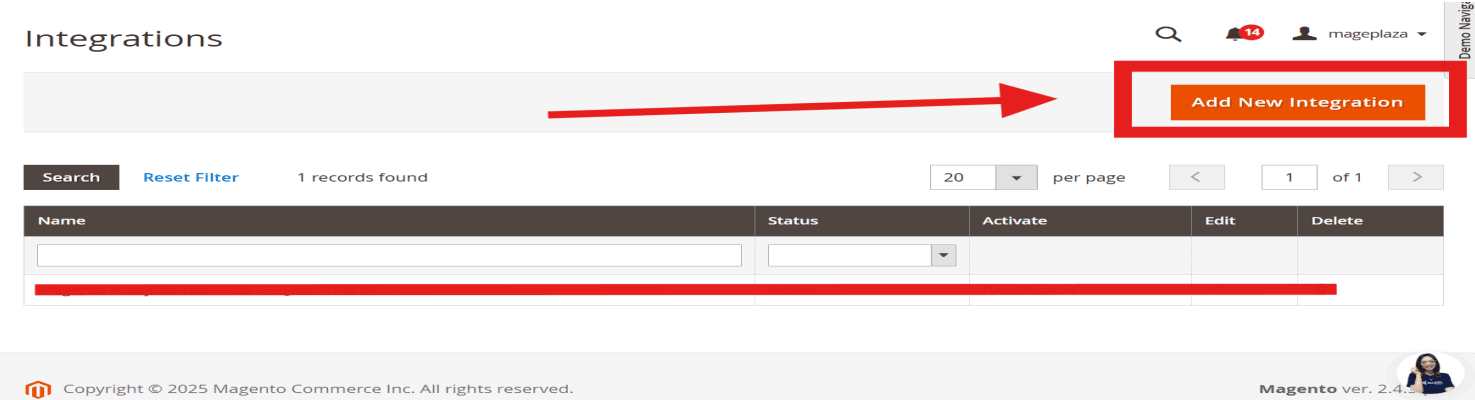
3. Click on Add New Integration.
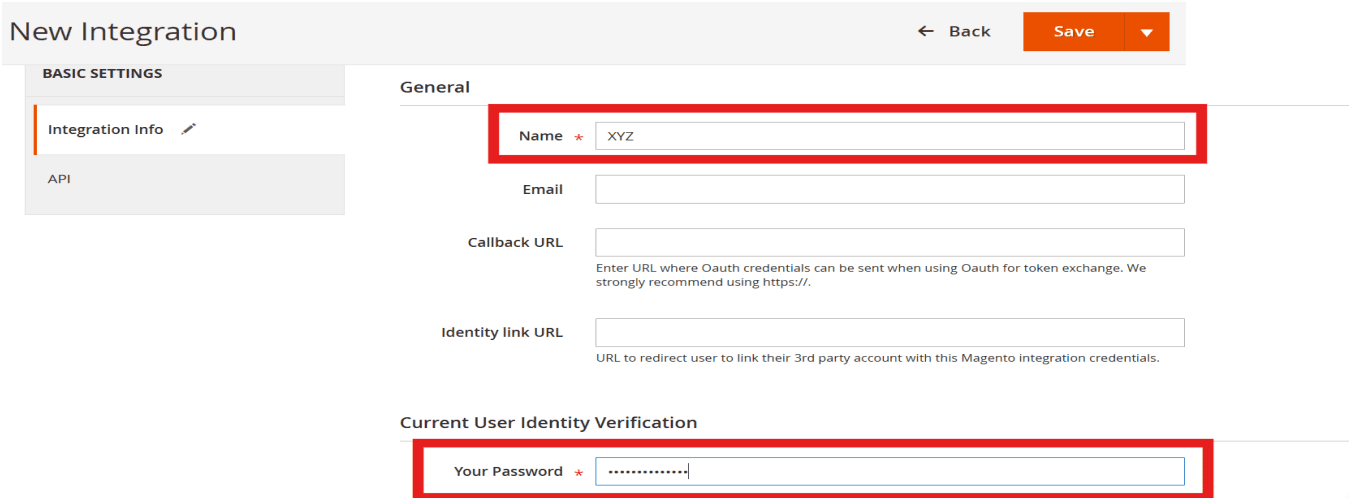
4. Enter your Name and Account’s Password.
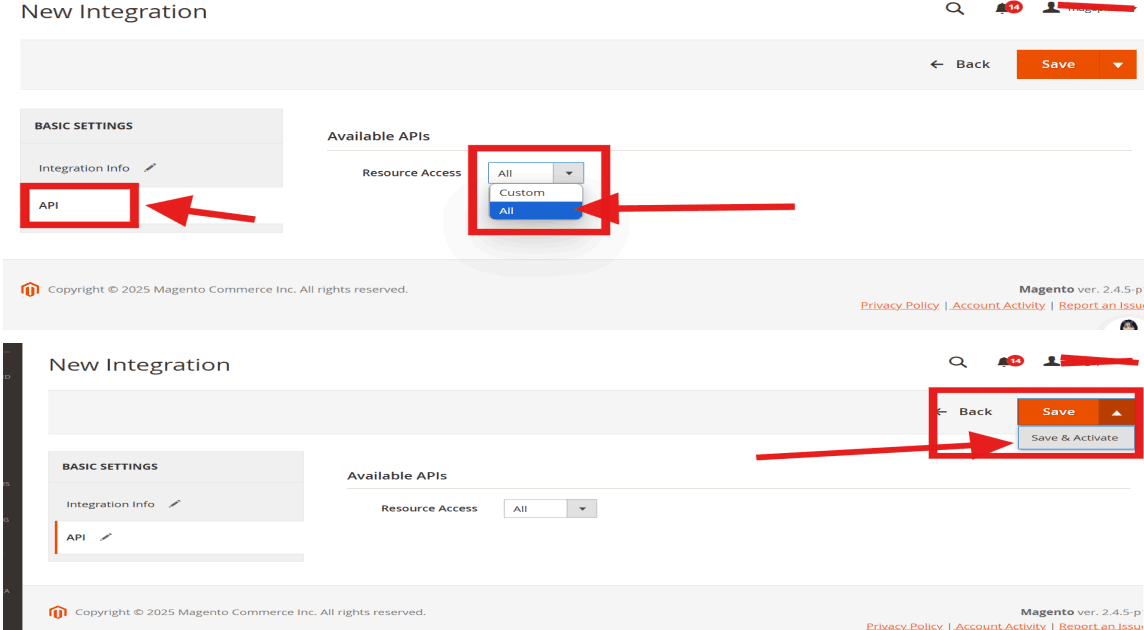
5. Click on API and Click All Resource Access. And then click Save & Activate.
6. Now your integration has been created.
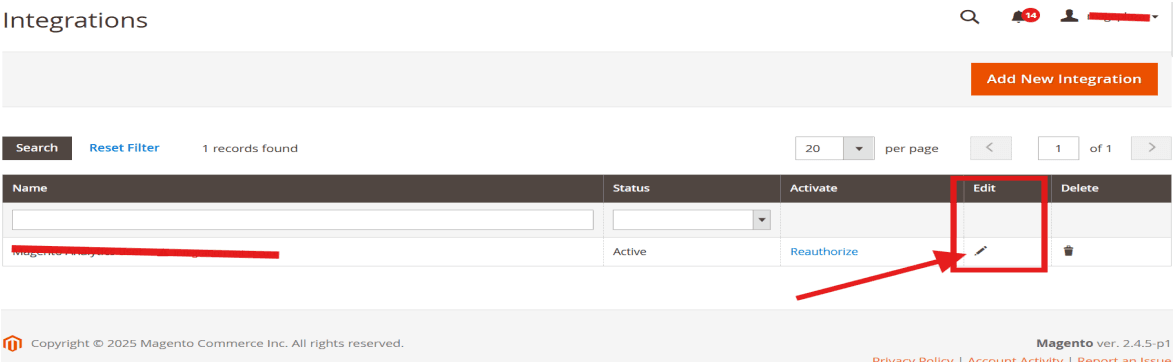
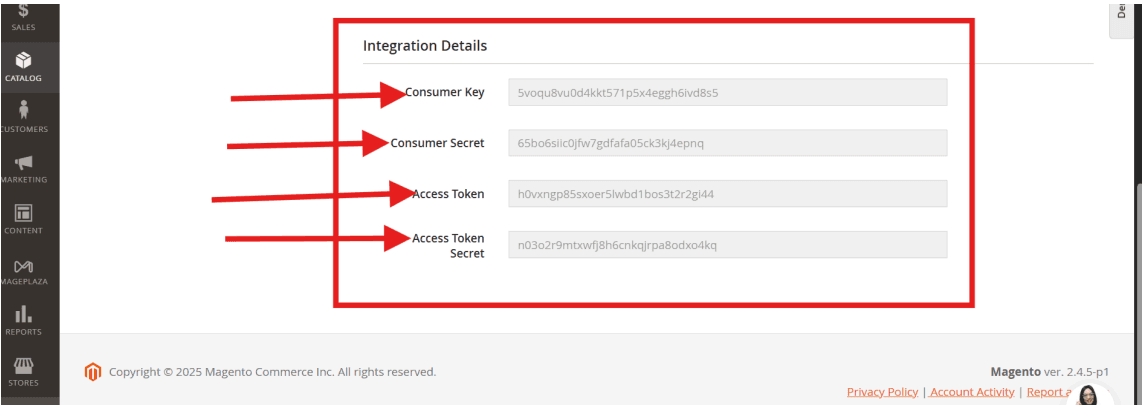
Click on Edit Icon and then Copy and Paste Integration Details.