
Connect Your Platforms
Shopify
How to Connect Shopify to WhatSales
Integrating your Shopify store with WhatSales allows you to pull all your sales, orders, and profitability data directly into your dashboard. Follow these simple steps to connect your account.
Step 1: Navigate to the Connections Page
Log into your WhatSales account.
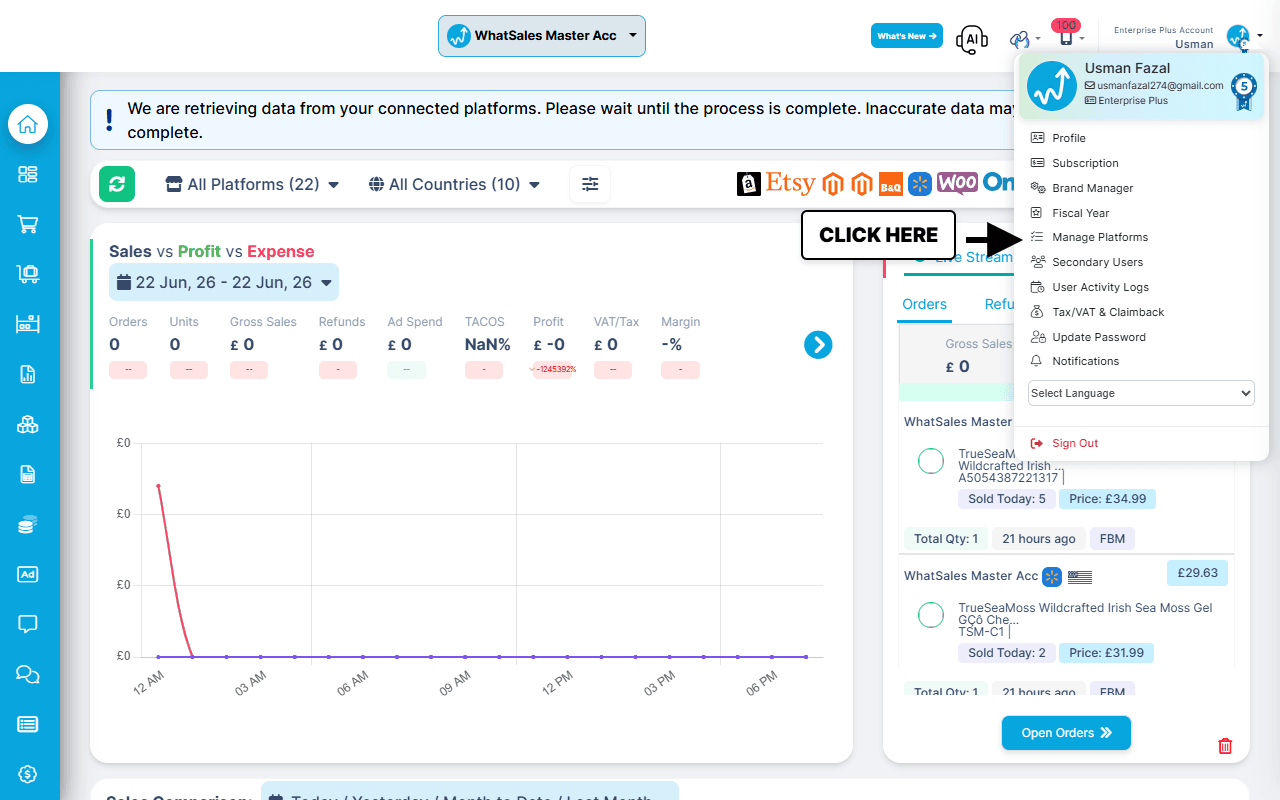
Navigate to Manage Platform section (By clicking on Profile option at Top Right Corner).
Step 2: Select Shopify
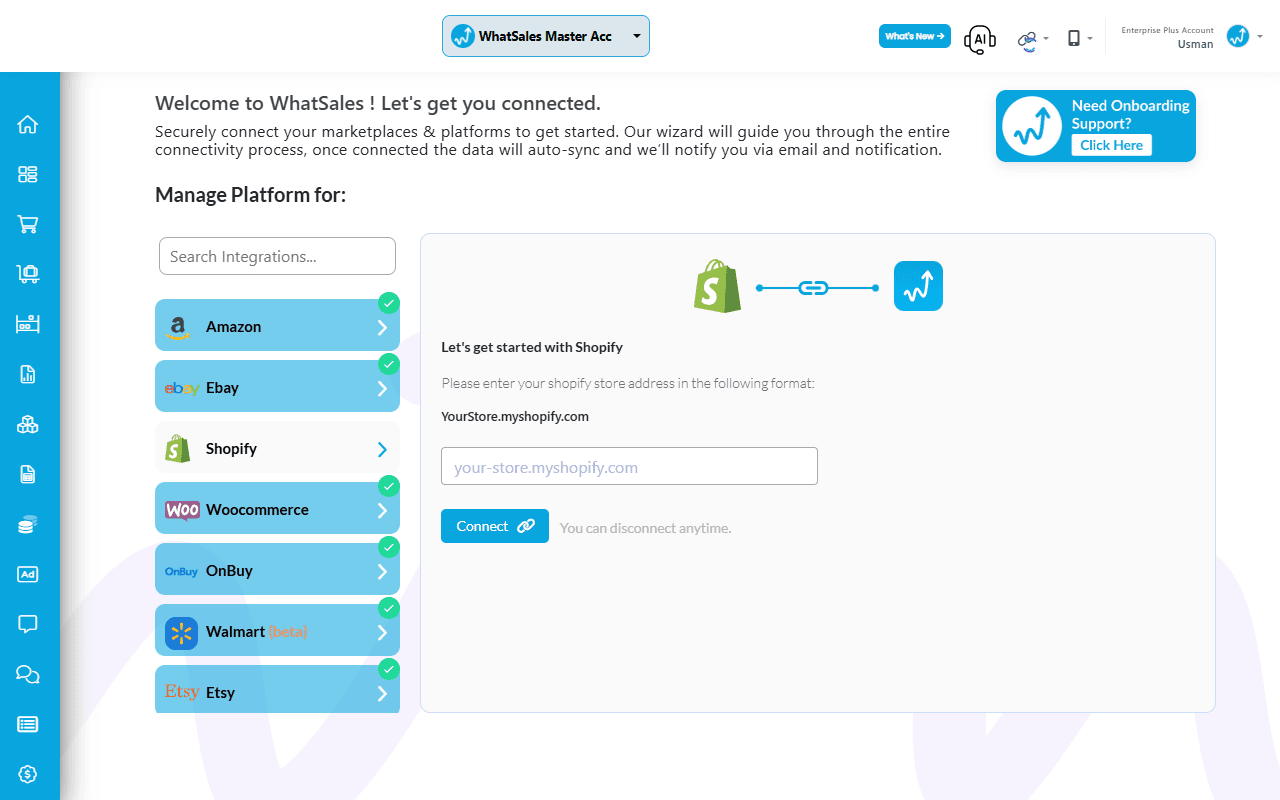
Once on the connections page, select the Shopify tab from the available marketplaces.
Step 3: Enter Your Store Address
In the Shopify setup section, enter your Shopify Store Address (e.g., your-store.myshopify.com).
How to Find Your Shopify Store Address:You can find your original .myshopify.com URL by logging into your Shopify Admin dashboard and looking at your browser's address bar (it will look like your-store-name.myshopify.com/admin). Alternatively, you can navigate to Settings > Domains inside Shopify to view your default myshopify.com address.
Once entered, click the Connect button to authorize WhatSales to access your Shopify data.
After authorizing WhatSales on the Shopify side, you will be redirected back to the dashboard.
Your Shopify store will start syncing with WhatSales. Orders, products, and data will begin to appear. Initial sync may take some time.