
Connect Your Platforms
Temu
How to Connect a Temu Store with Whatsales
You can connect your Temu store to Whatsales by authorizing access and adding a token. This enables syncing of orders, products, and performance data.
Important:If your Temu store was already connected and the connection breaks, you do not need to repeat the full setup.Go to Manage your apps in Temu, copy the existing token, and paste it again in Whatsales to restore the connection.
Step 1: Open Temu Seller Center
Log in to your Temu Seller Center account.
Go to:Manage your apps → Authorize a new app
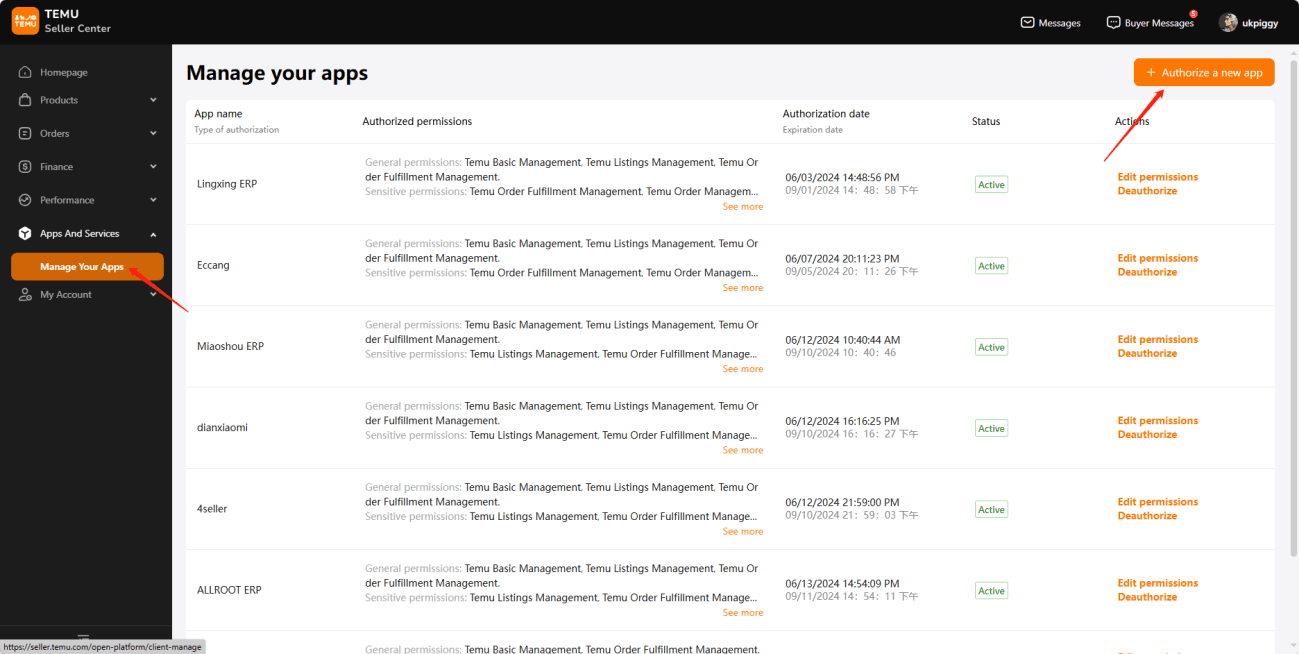
Step 2: Search and Select Whatsales
- Search for Whatsales
- Select it from the list
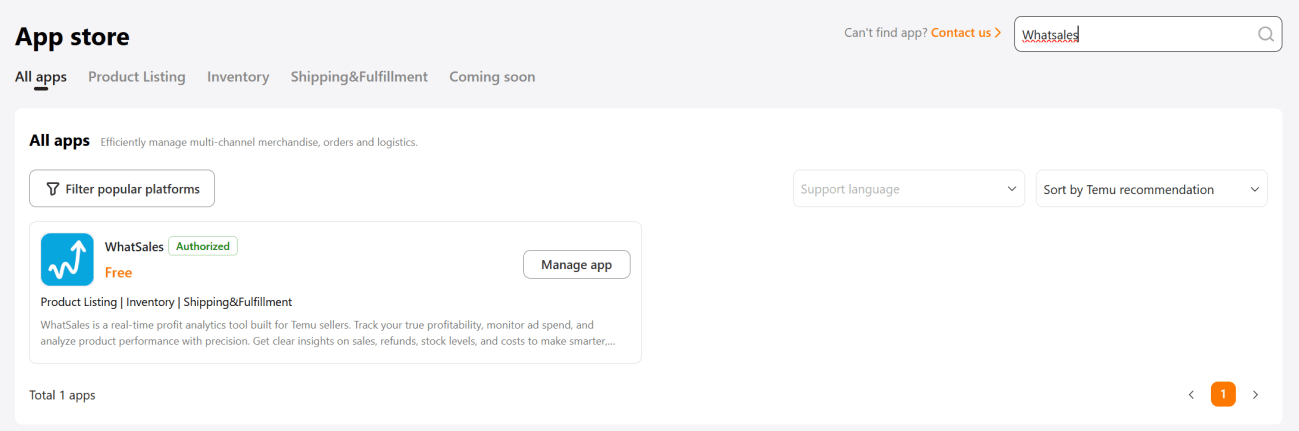
Step 3: Grant Permissions
- Check all required permissions
- Enable access to your store data
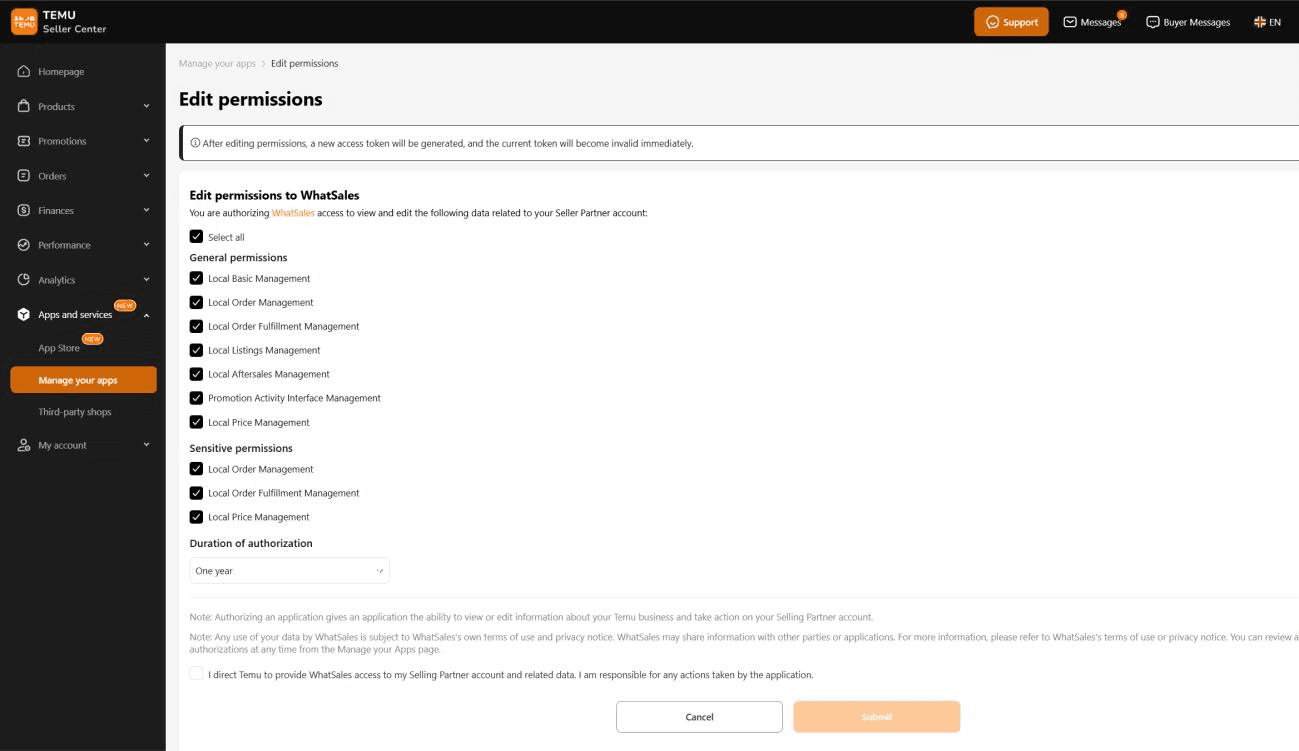
Then confirm this statement:“I direct Temu to provide Whatsales access to my Selling Partner account and related data. I am responsible for the actions taken by the application.”
Click Submit
Step 4: Copy the Token
- A new pop-up will appear
- Copy the authorization token
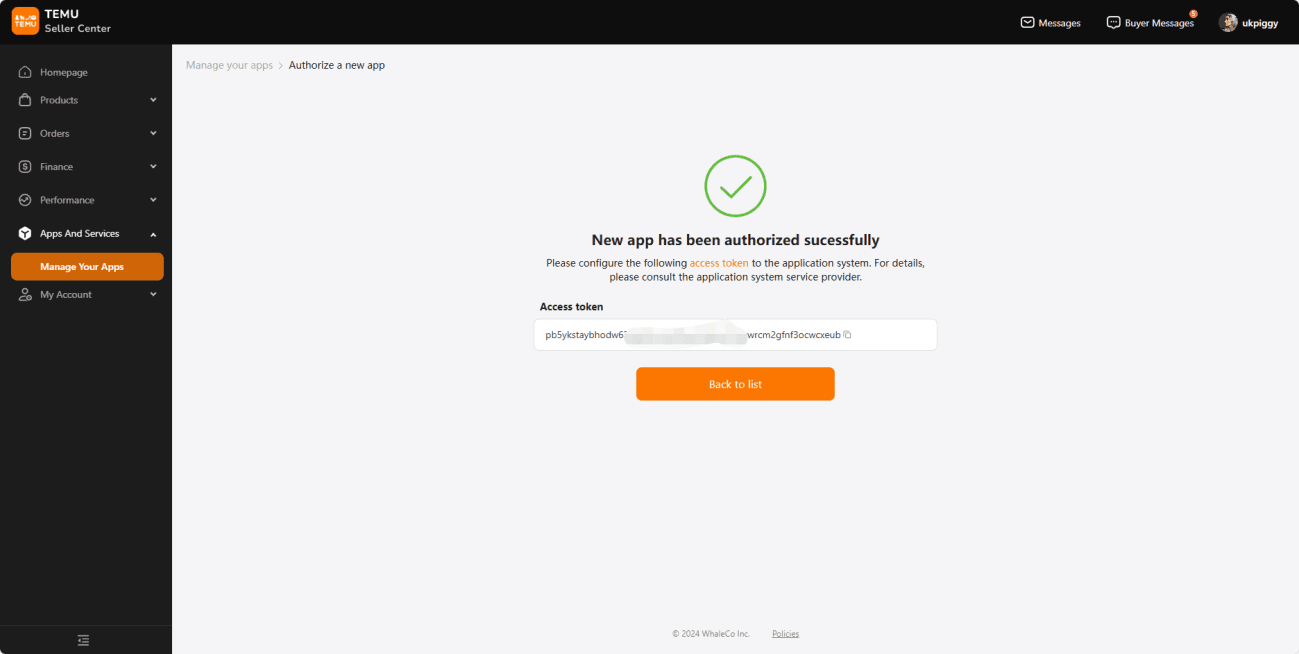
Step 5: Add Token in Whatsales
- Go to your Whatsales account
- Navigate to Manage Platform section (By clicking on Profile option at Top Right Corner)
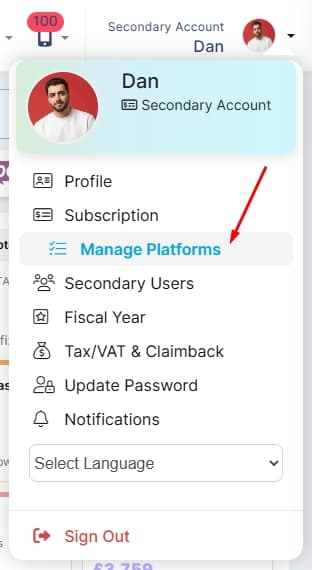
Step 6: Select TEMU
- From the side panel, click on Temu
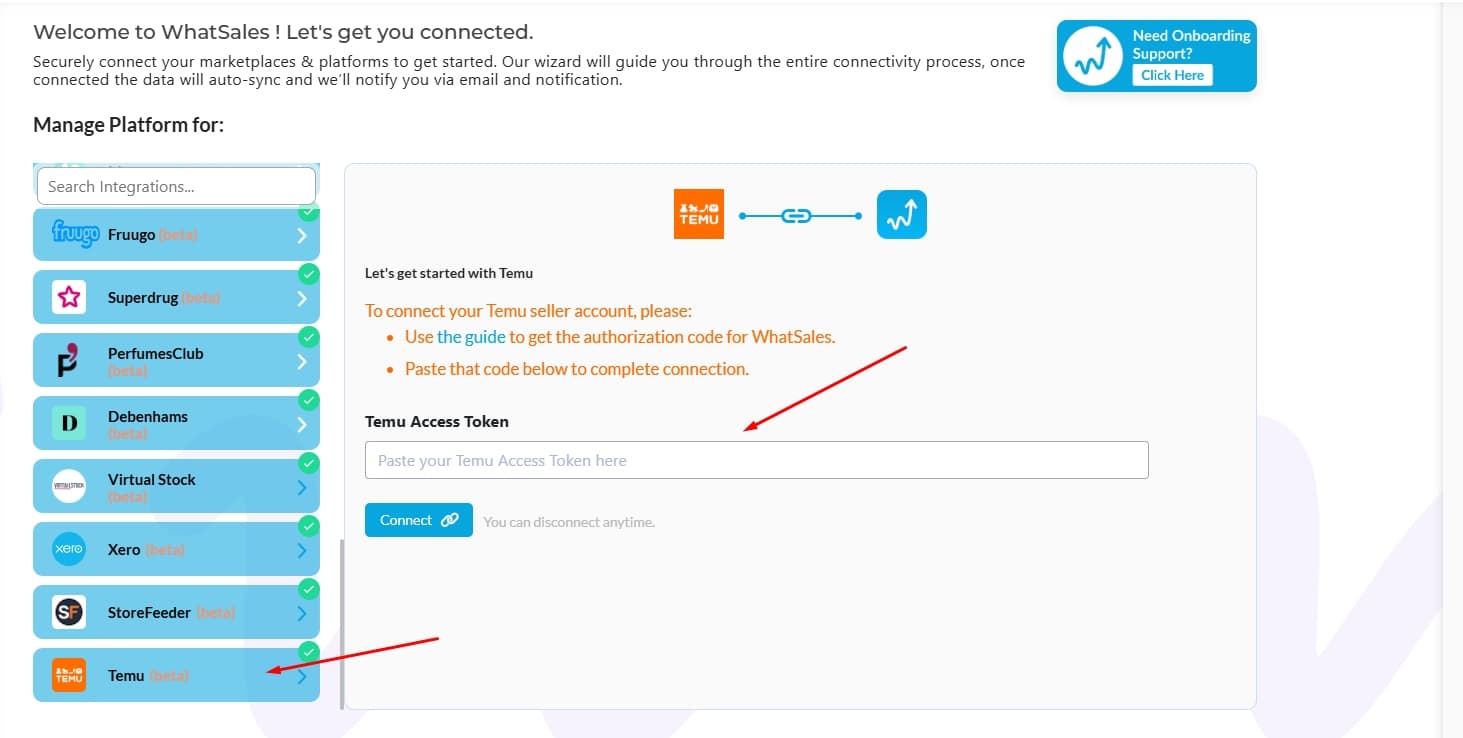
- Paste the copied token
- Connect
What Happens Next
- Your Temu store will start syncing with Whatsales
- Orders, products, and data will begin to appear
- Initial sync may take some time
Best Practices
- Copy the token correctly without extra spaces
- Grant all permissions to avoid sync issues
- Keep your Temu session active during setup
- Verify connection after adding token
Common Mistakes to Avoid
- Missing required permissions
- Copying an incomplete token
- Not clicking submit after authorization
- Pasting token in the wrong section