
Inventory
How to Ignore SKUs in Whatsales (Exclude Discontinued or Inactive Products)
Overview
If you have products that you no longer sell, are discontinued, or will not restock soon, you can add them to the ignore list. This helps you see clean and accurate data in your dashboard.
When to Use This
Use this feature when:
- Products are discontinued
- Items are out of stock with no restock plan
- You want accurate reporting without inactive SKUs
Step 1: Go to Inventory
Open:https://app.whatsales.io/Inventory
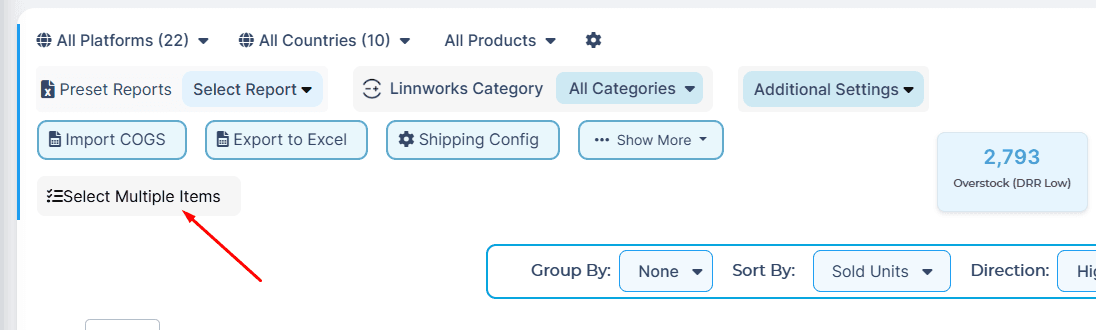
Step 2: Enable Selection Mode
Click Select Multiple Items
Step 3: Select SKUs
- Choose the products you want to ignore
- You can select multiple SKUs at once
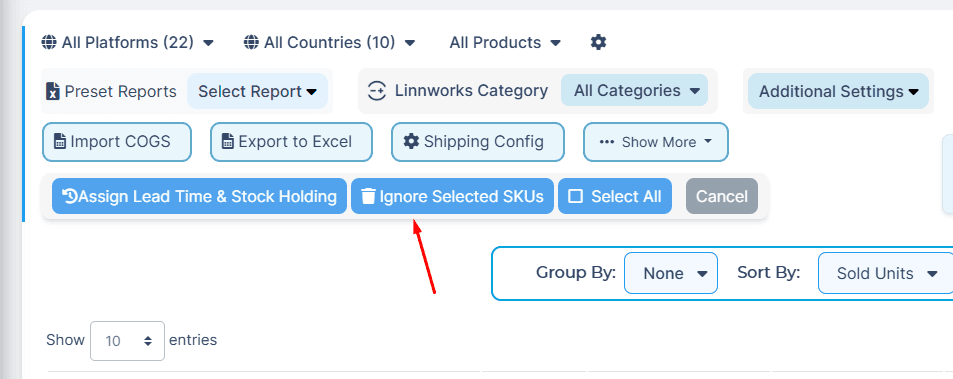
Step 4: Ignore Selected SKUs
- Click Ignore Selected SKUs
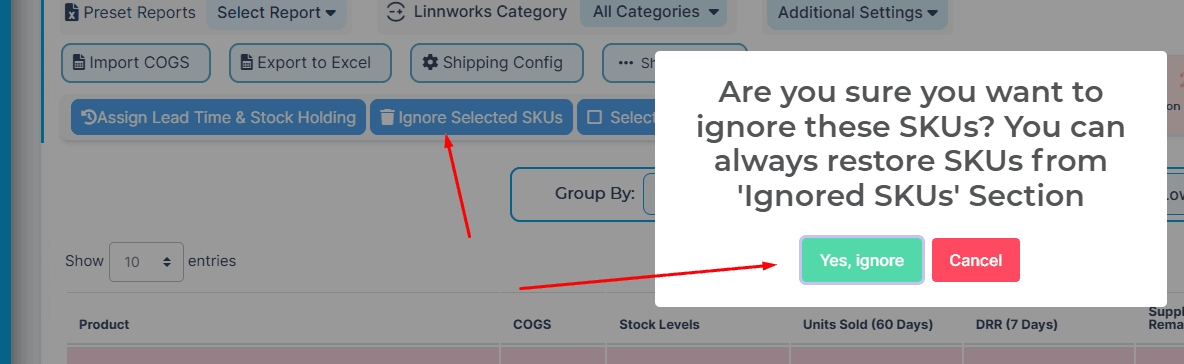
- Confirm by clicking Yes, ignore
What Happens Next
- Selected SKUs are removed from active calculations
- Dashboard metrics become more accurate
- You can restore them later from the Ignored SKUs section
Best Practices
- Ignore only inactive or discontinued products
- Review ignored SKUs regularly
- Use this to clean up reporting data
- Keep active and selling products visible
Common Mistakes to Avoid
- Ignoring active products by mistake
- Ignoring products still generating sales
- Not reviewing ignored SKUs periodically
Recommendation
Use the ignore feature to keep your dashboard focused on active products.This improves decision-making and forecasting accuracy.