
Sales
How Temu Incentives Are Calculated in WhatSales
Overview
When selling on Temu, the amount paid by the customer is not always the same as the item's Base Unit Price. Temu may either retain the difference as a platform fee or fund the difference as a platform incentive.
WhatSales automatically detects the difference and records it correctly so your profitability reports remain accurate.
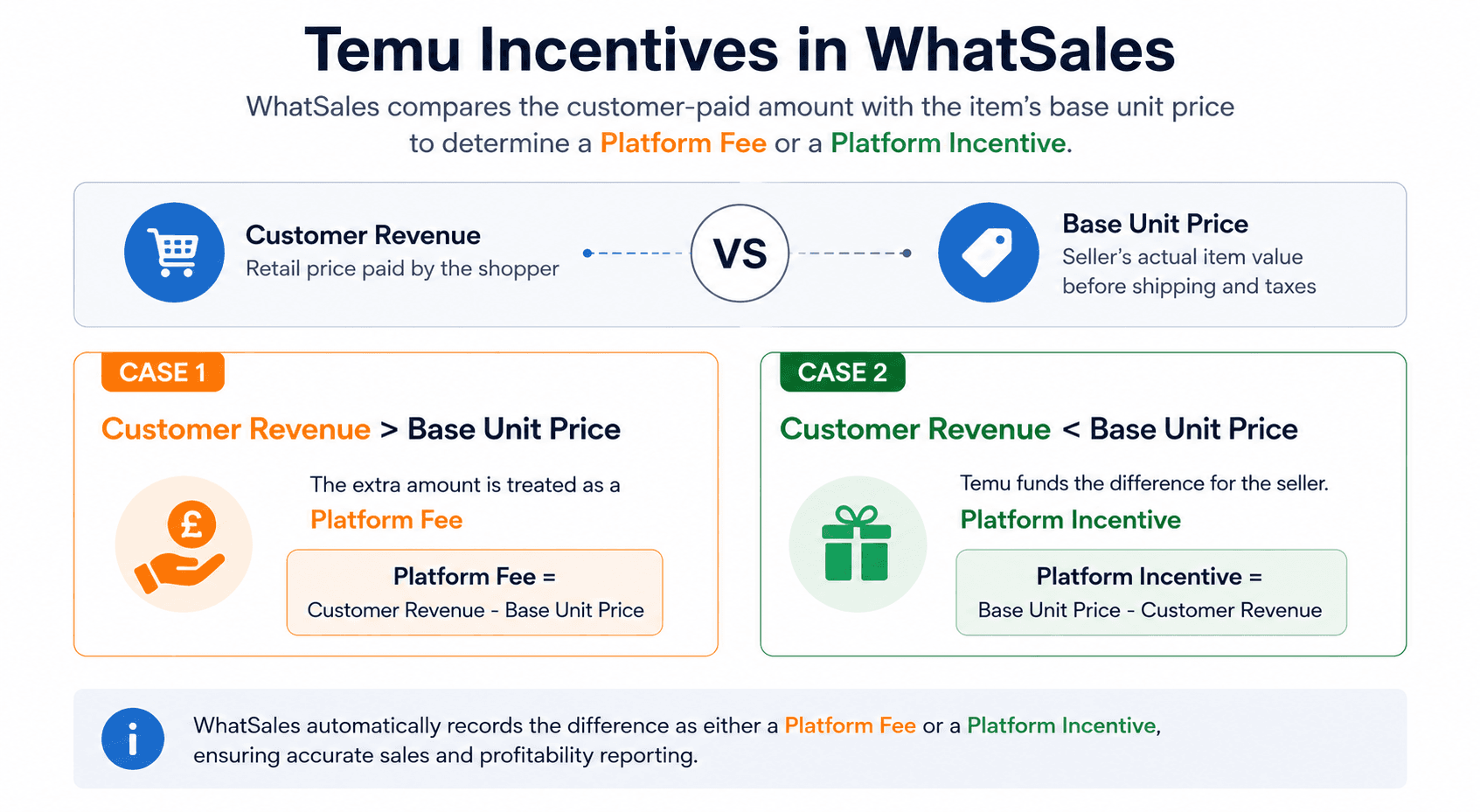
Understanding the Calculation
There are 2 possible scenarios.
Scenario 1: Customer Revenue is Greater than the Base Unit Price
When the customer pays more than the item's Base Unit Price, Temu keeps the additional amount.
Formula
Platform Fee = Customer Revenue − Base Unit Price
Example
- Customer Revenue: £25.00
- Base Unit Price: £22.00
- Platform Fee: £3.00
The additional £3.00 is recorded as a Platform Fee.
Scenario 2: Customer Revenue is Less than the Base Unit Price
When the customer pays less than the Base Unit Price, Temu funds the difference to the seller.
Formula
Platform Incentive = Base Unit Price − Customer Revenue
Example
- Customer Revenue: £1.67
- Base Unit Price: £16.57
- Platform Incentive: £14.90
WhatSales records the £14.90 as a Platform Incentive.
Real Example
The settlement below demonstrates how Temu funds the difference between the retail price paid by the customer and the seller's Base Unit Price.
Description
Amount
Base Unit Price
£16.57
Customer Revenue
£1.67
Platform Incentive
£14.90
Calculation
£16.57 − £1.67 = £14.90
This incentive is automatically recognised and recorded by WhatSales.
How WhatSales Records This
Depending on the transaction, WhatSales will automatically record either:
- Platform Fee
- Platform Incentive
This ensures:
- Accurate sales reporting
- Correct profitability calculations
- Reliable margin reporting
- Consistent financial analysis
No manual adjustment is required.
Why This Matters
Without correctly recognising Temu incentives, profitability reports can become inaccurate because customer payments do not always reflect the actual amount received by the seller.
By automatically calculating the difference, WhatSales provides a more accurate view of your business performance.
Summary
WhatSales automatically compares the Customer Revenue against the Base Unit Price for every eligible Temu order.
Depending on the outcome, the platform records:
- Platform Fee when Customer Revenue is greater than the Base Unit Price.
- Platform Incentive when Customer Revenue is less than the Base Unit Price.
This ensures your sales, profitability and margin reports accurately reflect the actual settlement received from Temu without requiring any manual adjustments.
Frequently Asked Questions (FAQ)
Why is my Customer Revenue lower than the Base Unit Price?
Temu may subsidise the selling price to make products more attractive to customers. The difference is funded by Temu and recorded in WhatSales as a Platform Incentive.
Why is Customer Revenue sometimes higher than the Base Unit Price?
When the customer pays more than the item's Base Unit Price, Temu retains the difference. WhatSales records this amount as a Platform Fee.
Do I need to calculate Platform Fees or Platform Incentives manually?
No. WhatSales automatically compares the Customer Revenue with the Base Unit Price and records the correct value for each order.
Will this affect my profitability reports?
Yes. Platform Fees and Platform Incentives are included in the profitability calculations, ensuring your reports accurately reflect the final settlement amount.
Where can I view Platform Incentives in WhatSales?
Platform Incentives are automatically included in your order data and profitability calculations wherever they apply.
Does this apply to all Temu orders?
This calculation is applied whenever the settlement data contains a difference between the Customer Revenue and the Base Unit Price.