
Shipping
Configure Shipping Prices by Country in WhatSales (Linnworks Users)
Shipping settings allow you to define accurate delivery costs for different countries. This ensures correct profit calculations and smooth order processing.
With proper shipping configuration, you can:
- Set country-specific shipping rates
- Avoid order processing errors
- Maintain accurate margins and reporting
- Align shipping costs with real carrier charges
Step-by-Step: Configure Shipping Prices
- Go to the Inventory section from the main dashboard
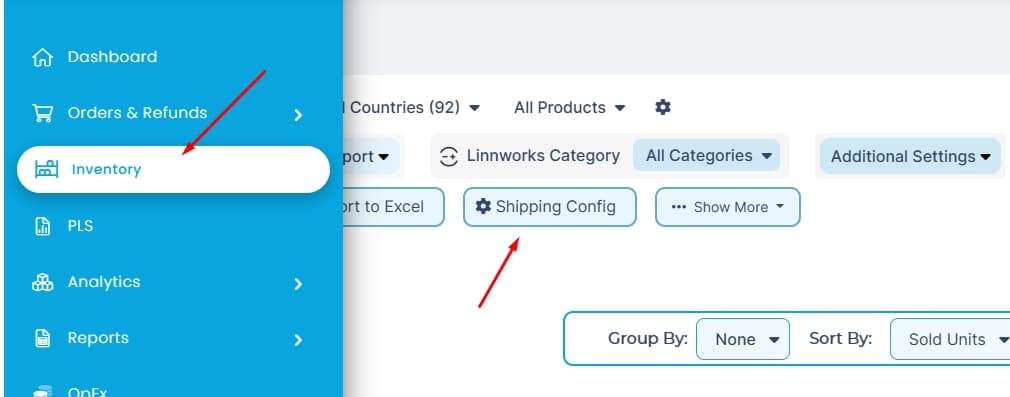
- Click on Config Shipping
- Turn ON Enable multi-country shipping from the top right corner
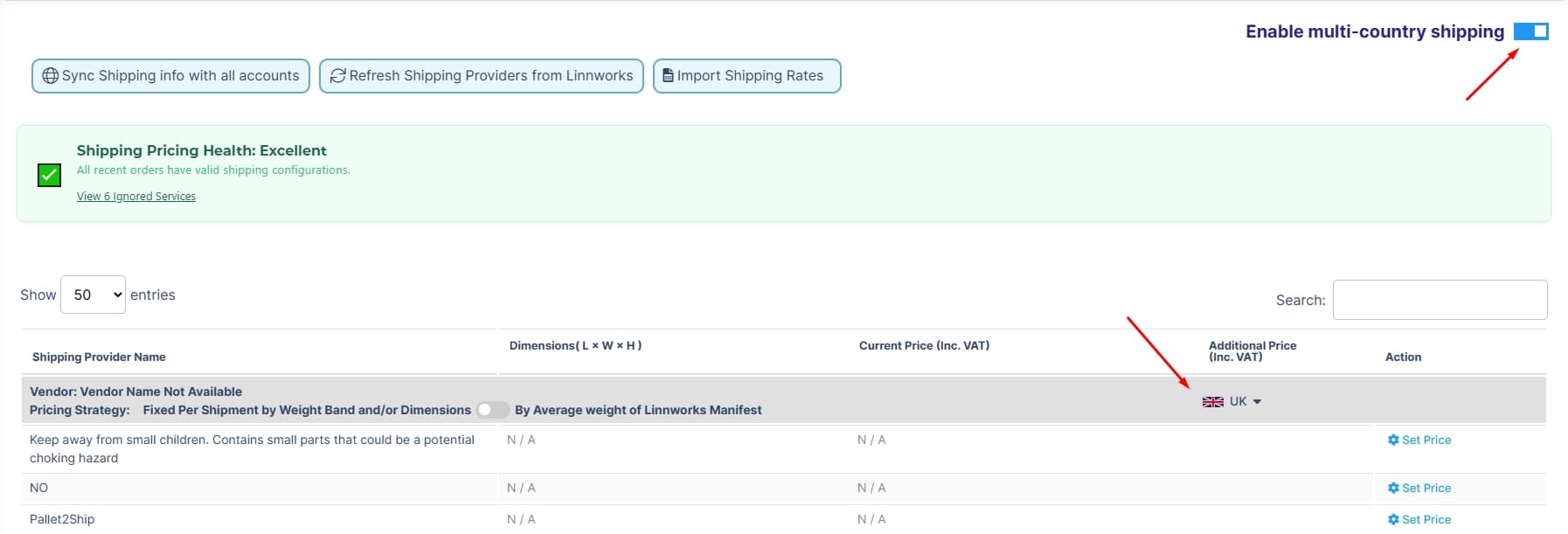
- Select the country you want to configure shipping for
Set Shipping Price
In the shipping table:
- Locate the shipping provider or rule
- Click Set Price under the Action column
- Enter pricing based on your setup:Weight bands
- Dimensions
- Average weight
Save ChangesSave or confirm the updated shipping price.
Configure shipping for all active countries to avoid disruptions
Final Check
After setup, verify that Shipping Pricing Health shows a valid status. This confirms that your shipping configuration is complete and working correctly.