
COGS & Cost Management
How to Add COGS in Whatsales When Missing in Linnworks
This guide shows how to add COGS for products synced from Linnworks into Whatsales.
Important
- If COGS is not added in Linnworks, it will not sync to Whatsales.
- WhatSales pulls data directly from Linnworks.
- No cost in Linnworks means no cost in Whatsales.
- You must add COGS manually using the steps below.
When to Use This
Use this if:
- Linnworks is connected and syncing
- Products are visible in Whatsales
- COGS is missing in Linnworks
Steps to Add COGS
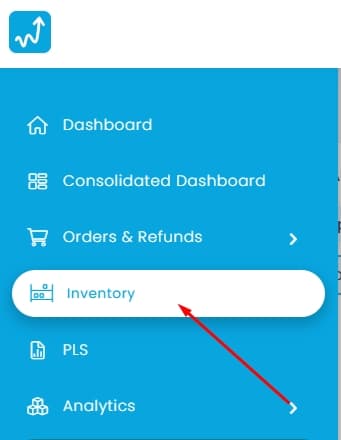
1. Go to Inventory
Open:https://app.whatsales.io/Inventory
2. Download COGS Template
- Click Import COGS
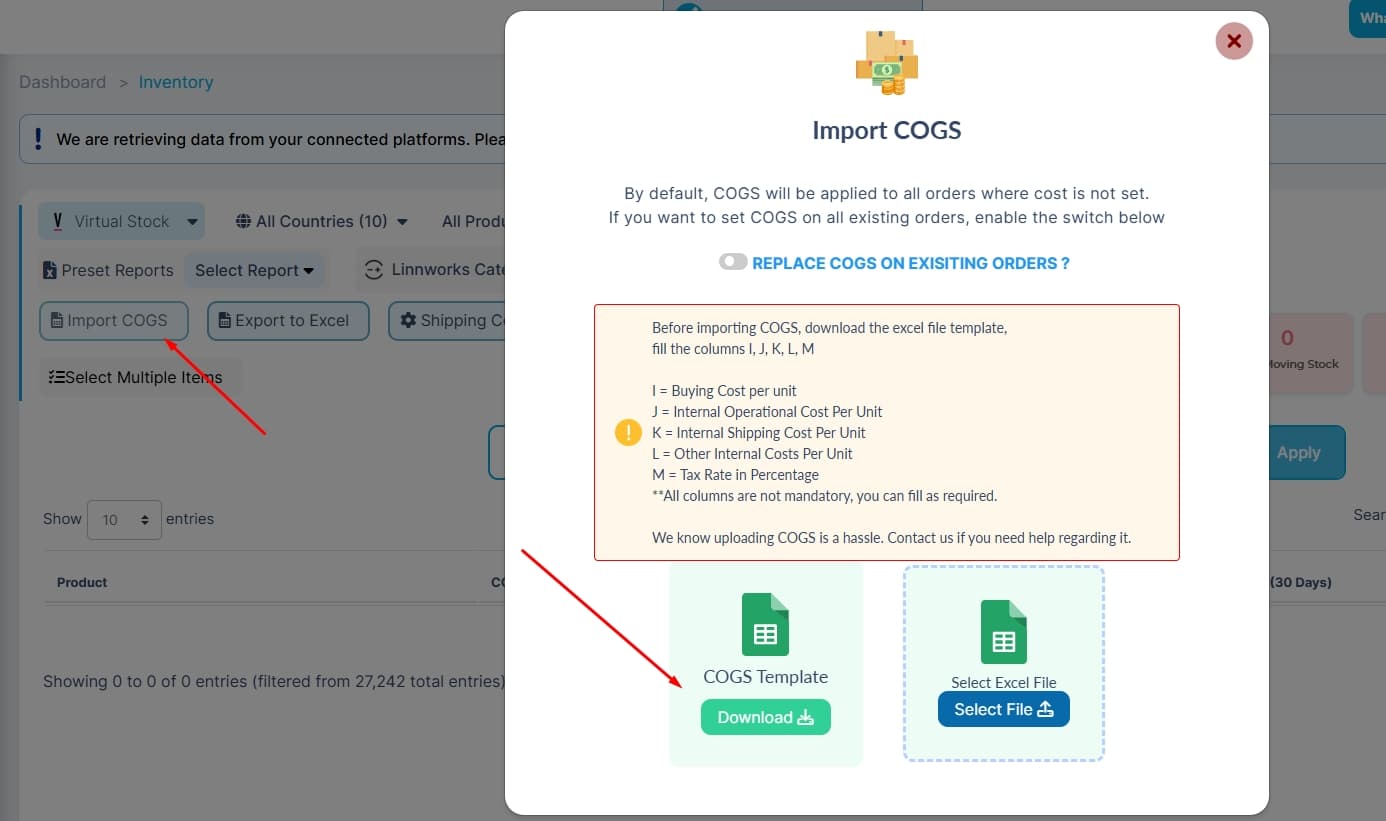
- Click COGS Template → Download
3. Fill the Template
Update only the required columns:
- I → Buying Cost per unit
Note:
- Fill only what you need
- Keep values numeric
- Do not change column names
4. Upload File
- Click Select File
- Upload the updated Excel file
5. Choose COGS Behaviour
- Enable Replace COGS on Existing Orders→ Updates past orders
- Keep it disabled→ Applies only to new orders
6. Complete Import
- Submit the file
- COGS will update based on your selection
Best Practices
- Use the latest template
- Keep file structure unchanged
- Enter clean, numeric values
- Test with a small dataset first
Common Mistakes
- Changing column names
- Uploading incorrect format
- Adding text instead of numbers
- Leaving unnecessary blank rows
- Not enabling replace option when updating past orders
Recommendation
Add and maintain COGS directly in Linnworks to avoid repeated manual uploads.