
COGS & Cost Management
How to Import COGS Manually in Whatsales
You can upload Cost of Goods Sold (COGS) manually using an Excel file. This helps you update product costs in bulk and improve profit accuracy.
Step 1: Go to Inventory
Open:https://app.whatsales.io/Inventory
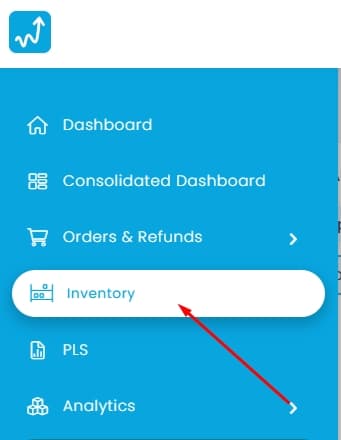
Click Import COGS
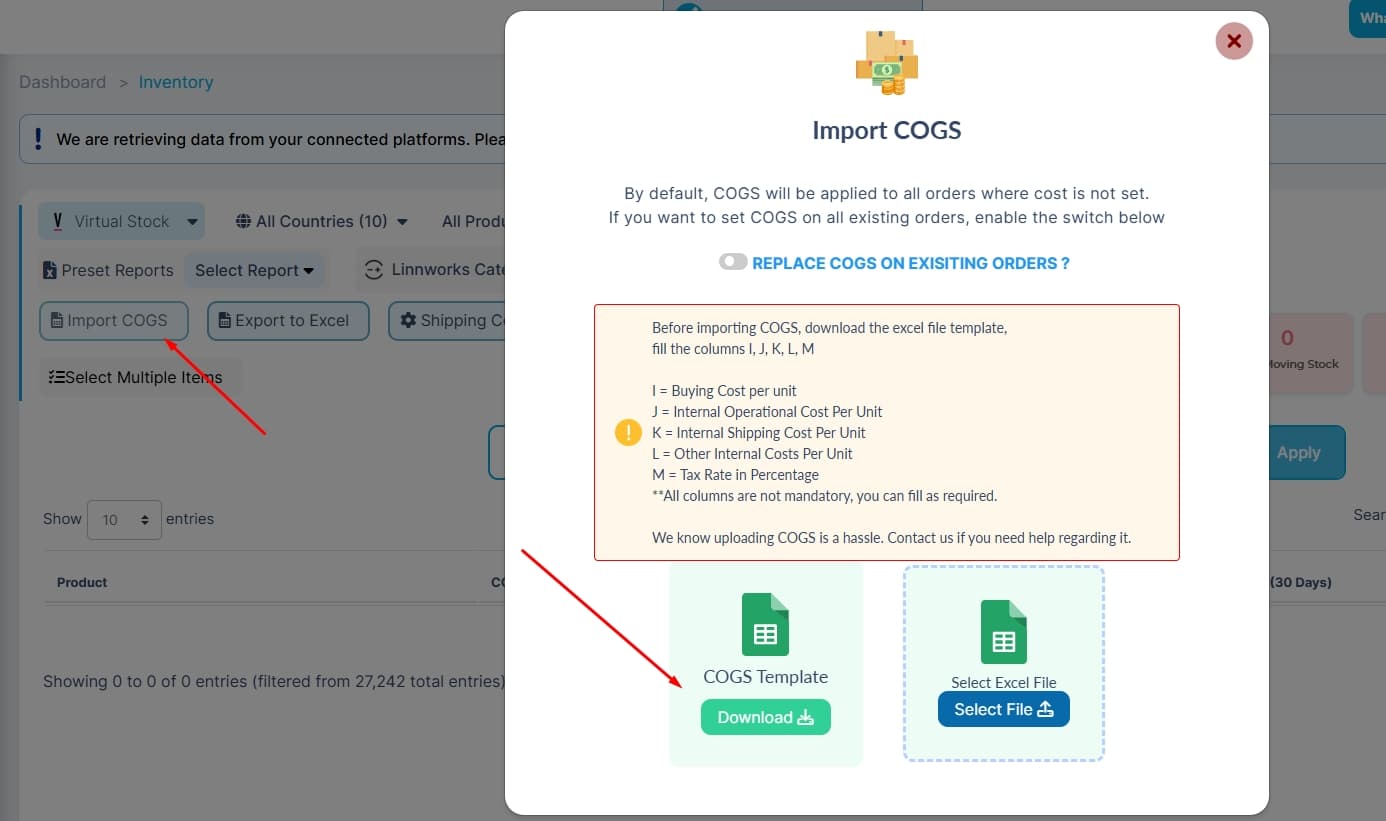
Step 2: Download Template
Click COGS Template → DownloadThis file contains all required columns.
Step 3: Fill the Template
Update only the columns you need:
- I = Buying Cost per unit
- J = Internal Operational Cost per unit
- L = Other Internal Costs per unit
- M = Tax Rate in percentage
Note:You do not need to fill all columns. Use only what applies.
Step 4: Upload the File
- Click Select File
- Upload your updated Excel file
Step 5: Choose How COGS Should Apply
- Enable Replace COGS on Existing Orders→ Updates past orders
- Keep it disabled→ Applies only to new orders
Step 6: Complete Import
Submit the file.COGS will be applied based on your selection.
Best Practices
- Use the latest downloaded template
- Fill only required columns
- Keep values numeric
- Keep file clean and structured
- Test with a small batch first
Common Mistakes to Avoid
- Changing column names or structure
- Uploading wrong file format
- Leaving unnecessary empty rows
- Entering text instead of numbers
- Forgetting to enable replace option when updating old orders
Recommendation
Start small.Verify results in reports.Then upload full data for accuracy.